



The Changes
Nov 20 · Connectors
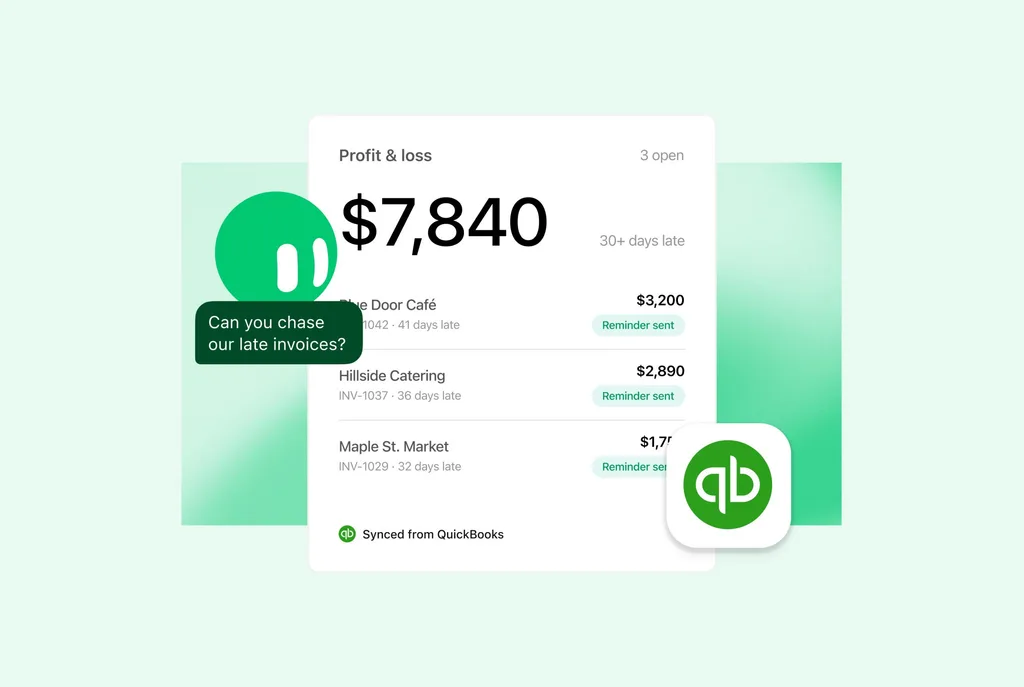
Chase Late Invoices With QuickBooks
- What changed
- Add Intuit QuickBooks for Grok Bot, then ask about your cash flow, profit or who still owes you.
- Why it matters
- Your Bot drafts invoices, estimates and payment reminders for you to approve.
- What to do
- Open Intuit QuickBooks for Grok Bot and select Add to Grok Bot, then ask who still owes you.
Source: @bot on X
Nov 19 · Plugins
Work in Your Obsidian Vault
- What changed
- Add Obsidian for Grok Bot, Obsidian's official plugin, and your Bot creates, searches and manages notes in your local vault.
- Why it matters
- It updates links, captures web pages, makes Bases and Canvas files, and syncs changes to your devices with Obsidian Sync.
- What to do
- Open Obsidian for Grok Bot and select Add to Grok Bot, then ask your Bot to save a web page as a note.
Source: @obsdmd on X
Nov 19 · Plugins
Search the Live Web With Firecrawl
- What changed
- Add the Firecrawl plugin to Grok Bot, then type @Firecrawl in chat with your question.
- Why it matters
- Your Bot searches the live web with Firecrawl and answers with sources.
- What to do
- Add Firecrawl from Connect apps, then ask: @Firecrawl best places to see the northern lights in Canada.
Source: @firecrawl on X
Nov 18 · 1.2.3
Tool Permissions and Routine Reconnect Cards
- What changed
- On a connector’s page, you can set each tool to Always allow, Auto-review, Needs approval or Blocked. When a routine needs you to reconnect an account, the reconnect card also arrives as a notification and as a Slack or Microsoft Teams direct message.
- Why it matters
- A routine that loses a connector sign-in skips its scheduled runs until you sign back in.
- What to do
- Open a connector’s page and set each tool’s permission.
Source: Grok Bot changelog, 1.2.3
Nov 18 · Templates
Dr Eggbot V2 Designs Bots for You
- What changed
- Dr Eggbot v2 is a new official Bot template. Install it, tell it what you want to automate, and it designs and sets up the Bots for you.
- Why it matters
- It comes with new skills for automating your work and life, and it works differently from the old Eggbot.
- What to do
- Install Dr Eggbot v2, even if you have the old Eggbot, and ask it to upgrade your old setup.
Source: @poteto on X
Nov 18 · Travel
Book Rental Cars, Plus Flights and Hotels
- What changed
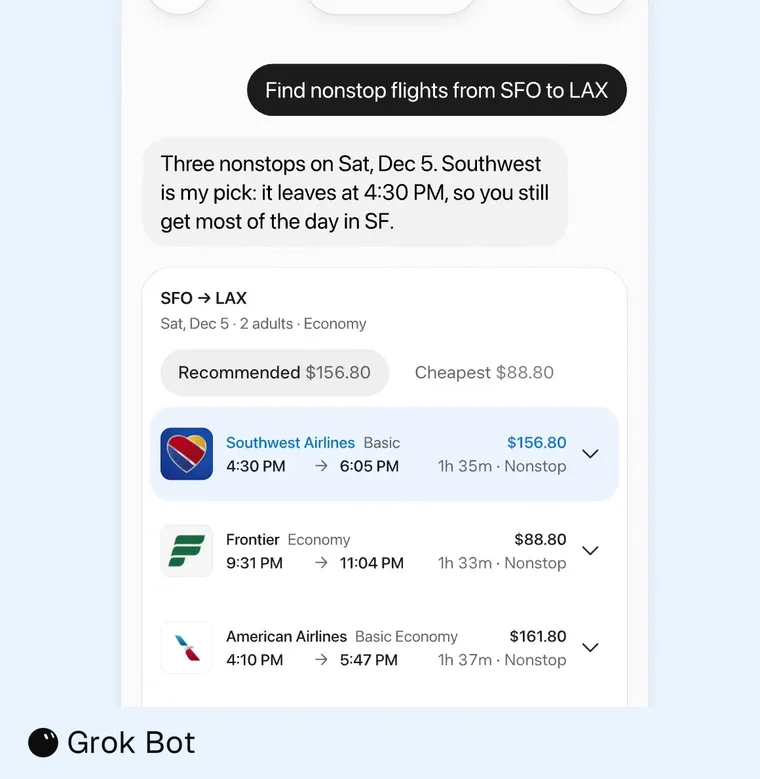
- Ask your Bot to plan a trip and it books flights, hotels and rental cars, finding the best deal wherever you go.
- Why it matters
- One chat handles the whole trip, from the flight to the car at the airport.
- What to do
- Tell your Bot where and when you're going and ask it to book a rental car.
Source: @bot on X
Nov 16 · X Chat
Draft X Posts in the X App
- What changed
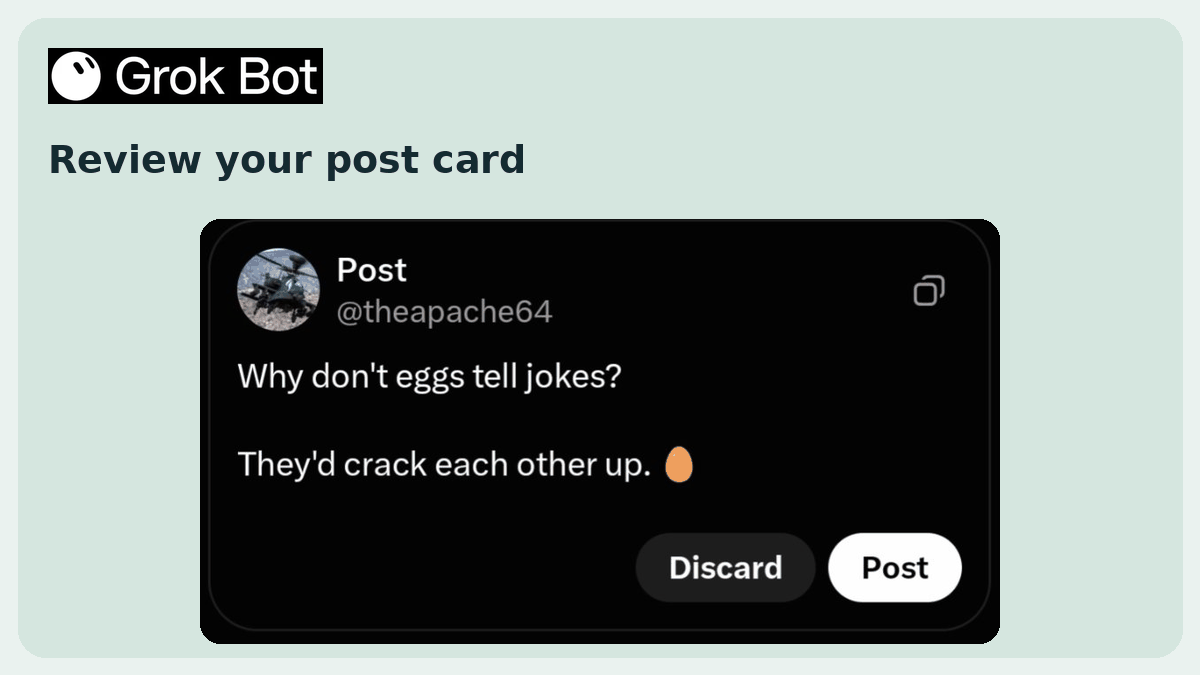
- In the chat in the X app, ask Grok Bot to draft a post. It writes a post card.
- Why it matters
- You tap Post to send it, or Discard to drop it.
- What to do
- Open the chat in the X app and ask your Bot to draft a post.
Source: the Grok Bot team on X
Nov 16 · 1.2.0
Flights Get a Cleaner Layout, Hotels Get Photos and Maps
- What changed
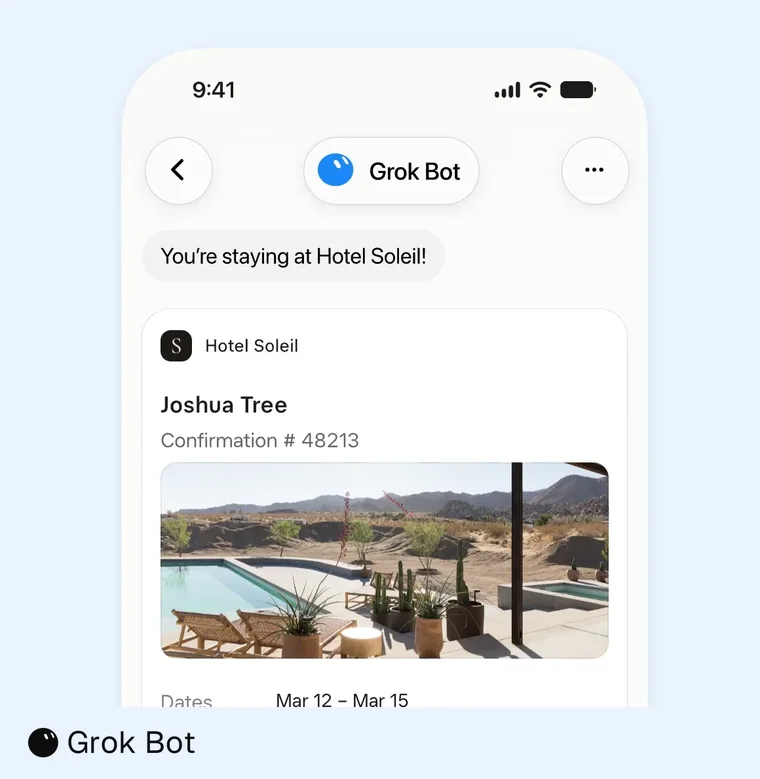
- Pick a flight to see Full details and Book, or expand it for bags, changes and refund rules. Hotel photos open full size, and hotel maps zoom, drag and copy the address.
- Why it matters
- If no flight matches your airline, time or stop filters, the Bot shows the closest options and says which filter it relaxed.
- What to do
- Ask your Bot to find a flight and a hotel for your next trip.
Source: Grok Bot changelog, 1.2.0
Nov 16 · 1.2.0
Tasks Page Gets a Closed Section
- What changed
- Done, Canceled and Archived tasks sit together under Closed, with a filter for each and search. Click a task's files pill to open any file it made.
- Why it matters
- Follow-ups and corrections continue the same task and build on its earlier results instead of starting over.
- What to do
- Open the Tasks page and search your closed tasks.
Source: Grok Bot changelog, 1.2.0
Nov 16 · 1.2.0
Fewer Misclicks on Calls, Commands and Links
- What changed
- Take over and End call on a live phone call ask you to confirm first. Command approval cards show the full command, and Allow once runs it one time only.
- Why it matters
- A prompt link asks before it fills your Bot's chat box, and links with hidden characters are blocked.
- What to do
- Read the full command on the next approval card before you tap Allow once.
Source: Grok Bot changelog, 1.2.0
Nov 16 · 1.2.0
Open a Bot in Its Own Window
- What changed
- Right-click a Bot in the sidebar and choose New window.
- Why it matters
- On a Mac, Quick Chat also sees the page title, address and highlighted text of the page you're on.
- What to do
- Right-click your most-used Bot and open it in a new window.
Source: Grok Bot changelog, 1.2.0
Nov 16 · 1.2.0
Rapid Fire: Big Uploads, Faster Browser, Hourly Tracking
- What changed
- Chat uploads over 25 MB, videos included, reach the Bot's computer. The Bot's browser starts several seconds faster with your sign-ins and tabs, and computer clicks land on target.
- Why it matters
- Order tracking checks up to hourly once a package is out for delivery, and team admins can turn off proactive messages for the team's Bots.
- What to do
- Update Grok Bot to 1.2.0, then send your Bot a large video to work with.
Source: Grok Bot changelog, 1.2.0
Nov 14 · Usage
Grok Bot Plans Stretch Further
- What changed
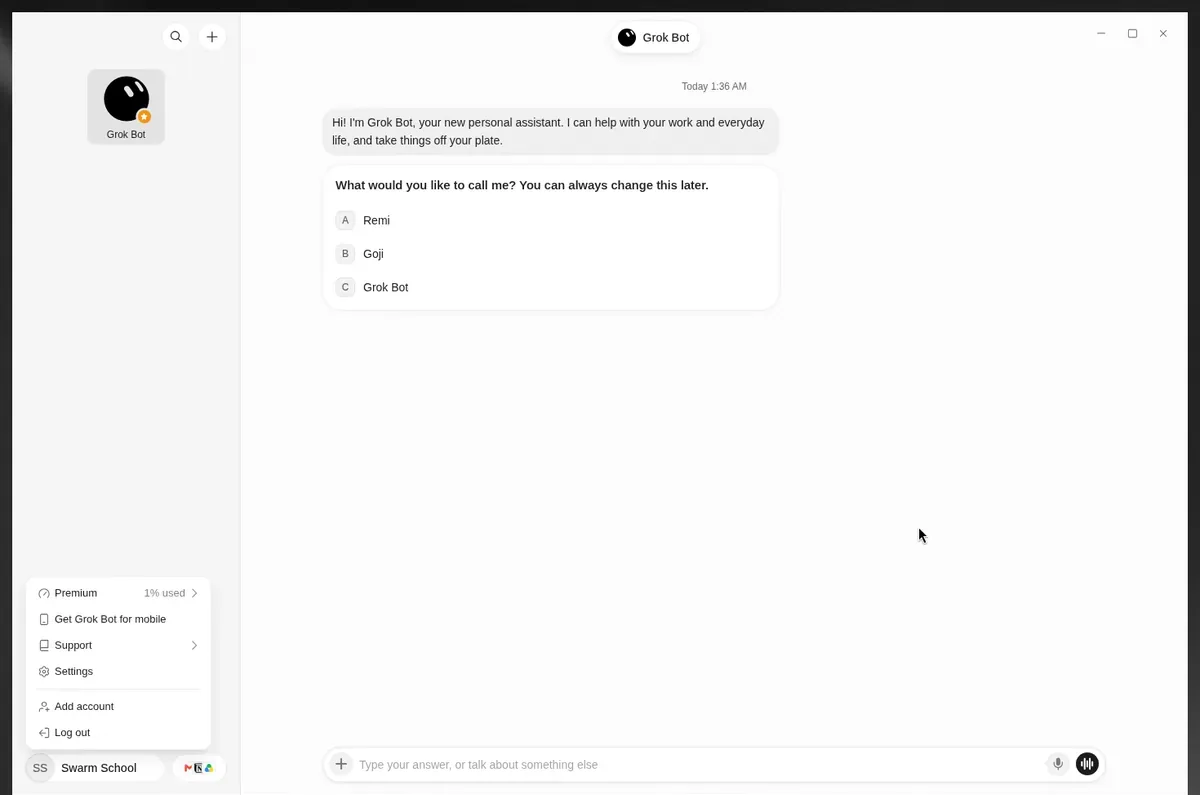
- Every plan gives about 7% more usage, and up to about 15% more on routine runs.
- Why it matters
- Behind-the-scenes improvements to how Grok Bot runs make your weekly usage go further.
- What to do
- Check your usage in Settings → Usage & Billing.
Source: the Grok Bot team on X
Nov 14 · Referrals
Invite Friends to Try Grok Bot Free
- What changed
- Your friend gets 2 weeks of Premium free.
- Why it matters
- You get a free usage reset when they become a paid subscriber.
- What to do
- Tap the gift icon in Grok Bot to copy your referral link.
Source: Grok Bot's official help site
Nov 13 · Shopping
Gift Concierge Template
- What changed
- The Gift Concierge template keeps a budgeted gift list, finds ideas, tracks delivery and buys only the gifts you approve.
- Why it matters
- Gift orders show who it's for, the message, the receipt and whether it arrives in time.
- What to do
- Choose the Gift Concierge template and give it your list and budget.
Source: Grok Bot changelog, Shopping
Nov 13 · iPhone
Reminders That Fire When You Arrive or Leave
- What changed
- Your Bot can add, change or remove an iPhone reminder that alerts you when you arrive at or leave a place.
- Why it matters
- The reminder shows up where you need it, not at a fixed time.
- What to do
- Ask your Bot: remind me to grab the dry cleaning when I leave work.
Source: Grok Bot changelog, iPhone
Nov 13 · Meetings
More Control Over Your Bot in Meetings
- What changed
- Disable Interactivity keeps the Bot in the call without speaking or posting, and Turn Off Camera hides its camera.
- Why it matters
- On large or outside calls, the Bot joins listen-only and asks whether the meeting is trusted before it takes part.
- What to do
- Turn on Disable Interactivity when you only want notes from a call.
Source: Grok Bot changelog, Meetings
Nov 13 · Shopping
Promo Codes, Price Drops and Restock Alerts
- What changed
- Product results show the percent off, and a promo code the Bot finds goes in at checkout. Sold-out options have Notify me to set a restock alert.
- Why it matters
- Deal Watcher checks other stores for a lower price before you pay and names every store it checked.
- What to do
- Tap Notify me on a sold-out size or color you want.
Source: Grok Bot changelog, Shopping
Nov 13 · Changelog
Rapid Fire: 1Password, Google Drive Editing, Send With ⌘↵
- What changed
- Tag a connected 1Password in the @ menu to use your saved logins. With Google Drive connected, your Bot can edit Docs, Sheets and Slides. Settings → General has Send with ⌘↵, so Enter adds a new line.
- Why it matters
- You can tell your Bot to stop texting you first, and Invite teammates in the account menu turns a personal plan into a team.
- What to do
- Type @ in the chat box and tag 1Password for your next sign-in task.
Source: Grok Bot changelog, Changelog
Nov 13 · Settings
Ask Grok Bot About Your Usage
- What changed
- Grok Bot can read its usage data. In Settings, the Usage & Billing pane shows your weekly usage and charts.
- Why it matters
- You can ask your Bot about your usage, or to optimize heavy routines.
- What to do
- Open Settings → Usage & Billing, or ask your Bot in a private chat.
Source: @mattyp on X
Nov 13 · Help site
Ask Grok Bot Questions on Its Official Help Site
- What changed
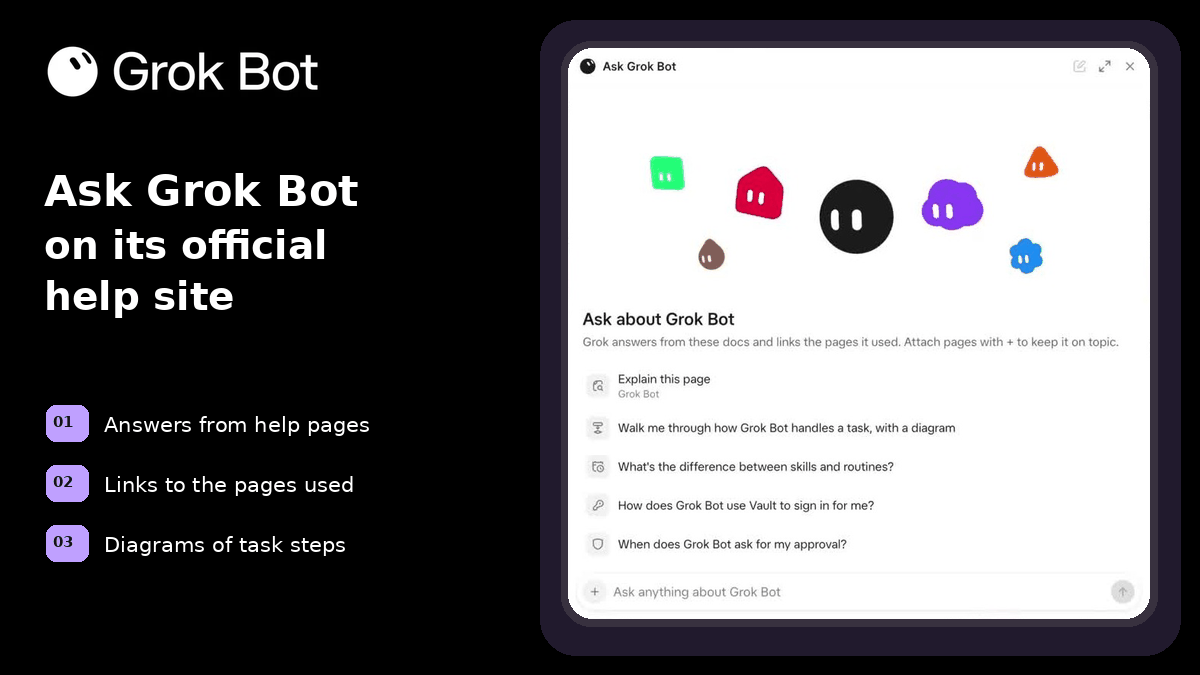
- On Grok Bot's official help site, an Ask Grok Bot panel answers your questions.
- Why it matters
- It answers from the help pages, links the pages it used, and can draw a diagram of how a task runs.
- What to do
- Try it on the Grok Bot overview at docs.x.ai/grok-bot/overview.
Source: @ericzakariasson on X
Nov 12 · 1.0.2
Mark Up an Image to Show the Edits You Want
- What changed
- Choose Markup on an image to draw on it or drop numbered comments, then describe the edits for the Bot to make.
- Why it matters
- The Bot sees exactly which part you mean.
- What to do
- Open an image in chat, choose Markup and circle what to change.
Source: Grok Bot changelog, 1.0.2
Nov 12 · 1.0.2
Rapid Fire: Profile Photo, Vault Cards at Checkout, Private Group Emails
- What changed
- Change your profile photo in Settings with Change profile photo. When no card saved with a store works, the Bot can pay with a card from your Vault or a new one.
- Why it matters
- When the Bot emails several people at once, each gets their own copy with a one-click unsubscribe link.
- What to do
- Add your main card to the Vault so checkouts don't stall.
Source: Grok Bot changelog, 1.0.2
Nov 12 · Mac app
Grok Bot on Mac Can Use 7 Apple Apps
- What changed
- Messages, Mail, Notes, Reminders, Calendar, Location and Contacts.
- Why it matters
- Your Bot can read and send messages, draft emails and set reminders on your Mac.
- What to do
- Look for them in Connect Apps on your Mac.
Source: @bot on X
Nov 12 · Deep links
Open Your Bot With a Message Ready to Send
- What changed
- A link can open your Bot's chat with a message already typed in the box, up to 1,000 characters. It works from a shortcut, a note or another app.
- Why it matters
- The message waits for you to press send, so one tap starts a task you run often.
- What to do
- Build a link at docs.x.ai/grok-bot/deep-links and save it as a shortcut.
Source: @ericzakariasson on X
Nov 12 · Voice
Change Your Bot's Voice and Speed in Chat
- What changed
- Ask your Bot in chat to switch its voice or change how fast it talks.
- Why it matters
- The same voice and speed carry over to phone calls your Bot makes for you.
- What to do
- Tell your Bot which voice and speed you want.
Source: the Grok Bot team on X
Nov 11 · 1.0.1
Grok Bot 1.0: AI Teammates for Your Whole Team
- What changed
- Your team can share Bots in Slack and Microsoft Teams.
- Why it matters
- Bots can join meetings and learn over time.
- What to do
- Share a Bot with your team.
Source: Grok Bot changelog, 1.0.1
Nov 11 · 1.0.1
Bots Can Join Meetings
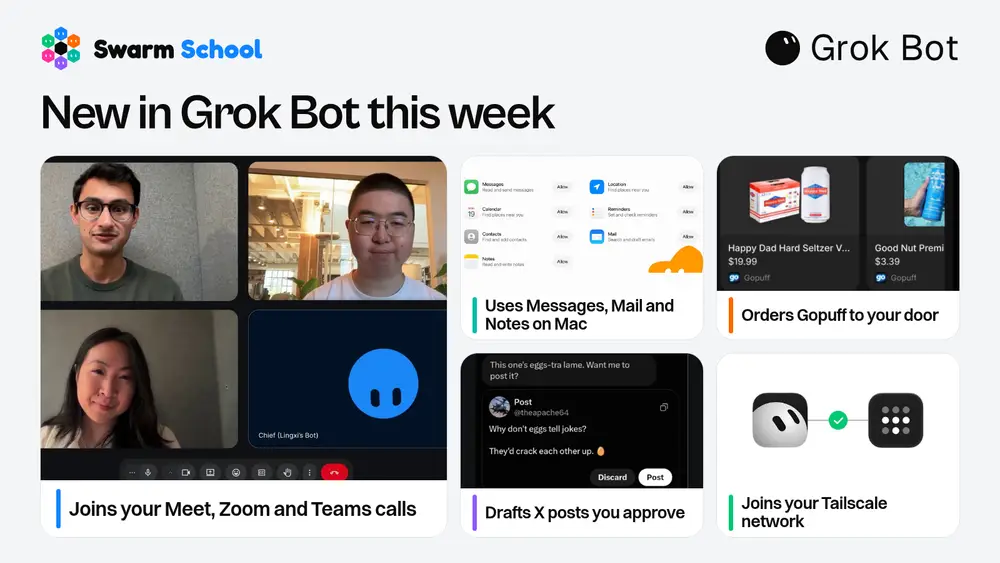
- What changed
- On Team, Enterprise and Ultra plans, a Bot can join Google Meet, Zoom or Microsoft Teams calls from a link.
- Why it matters
- It answers in the meeting chat and sends a summary afterward.
- What to do
- Give your Bot a meeting link to join the call.
Source: Grok Bot changelog, 1.0.1
Nov 11 · 1.0.1
Team Bots in Microsoft Teams
- What changed
- A team admin turns on Microsoft Teams, an owner or Manager connects the Bot, and a Teams admin approves it.
- Why it matters
- What teammates teach a Team Bot waits under Review learnings until the owner or a Manager approves it.
- What to do
- To share your own app login as a shared connector, have a team admin turn on Allow Shared Logins and connect it as an owner or Manager.
Source: Grok Bot changelog, 1.0.1
Nov 11 · 1.0.1
Voice Speed Slider
- What changed
- A Bot's Voice menu has a Speed slider from 0.5x to 2x and a card for each voice.
- Why it matters
- Call settings show the same controls.
- What to do
- Open the Voice menu to choose a voice and set its speed.
Source: Grok Bot changelog, 1.0.1
Nov 11 · 1.0.1
Check Price Again on Expired Order Cards
- What changed
- An expired order card offers Check price again.
- Why it matters
- The Bot sends a fresh order card with the current price.
- What to do
- Tap Check price again before you pay.
Source: Grok Bot changelog, 1.0.1
Nov 11 · 1.0.1
Choose Who Shares Bots
- What changed
- Team admins can limit Bot sharing to admins.
- Why it matters
- Already shared Bots stay shared.
- What to do
- Check Bot sharing on the team dashboard.
Source: Grok Bot changelog, 1.0.1
Nov 11 · Gopuff
Order From Gopuff With Your Bot
- What changed
- Gopuff is built into Grok Bot. Ask your Bot for groceries, snacks or essentials and it handles the order end to end.
- Why it matters
- Gopuff delivers from its own stores, in as fast as 15 minutes.
- What to do
- Ask your Bot to order your snacks or essentials from Gopuff.
Source: @bot on X
Nov 11 · 1.0.1
Rapid Fire: Wider Tables, Steadier Setup, Bigger Files
- What changed
- Wide tables in a reply spread into the empty space beside the message. A new Bot that takes longer to set up says Still creating, and what you typed stays in the box. Files up to 250 MB on the Bot's computer no longer make a reply fail.
- Why it matters
- On Team Bots, teammates' comments on the Bot's Pages reach the Bot, and a connector a team admin turned off says Disabled by team admin.
- What to do
- Update the app to 1.0.1 to get these fixes.
Source: Grok Bot changelog, 1.0.1
Nov 10 · Tailscale
Grok Bot Joins Your Tailscale Network
- What changed
- Grok Bot can join your personal or company tailnet on Tailscale.
- Why it matters
- Your Bot reaches private MCP servers, internal tools and apps on your network, securely.
- What to do
- Add Grok Bot to your tailnet, then point it at a private MCP server or tool.
Source: @bot on X
Nov 6 · v0.79.3
Shared Slack Workspace DMs
- What changed
- People from a shared Slack workspace can message a Team Bot directly.
- Why it matters
- A different person starts a new conversation.
- What to do
- Link your account before using a DM.
Source: Grok Bot changelog, v0.79.3
Nov 6 · v0.79.3
Shared Page Themes
- What changed
- Shared Pages remember your theme choice.
- Why it matters
- Your preference stays.
- What to do
- Use the title bar's theme button.
Source: Grok Bot changelog, v0.79.3
Nov 6 · v0.79.3
Held Email
- What changed
- Spam-filtered email stays available without waking the bot.
- Why it matters
- It remains readable.
- What to do
- Ask the bot to read it.
Source: Grok Bot changelog, v0.79.3
Nov 5 · v0.79.2
Gift Requests
- What changed
- Gift searches ask who, budget, occasion and delivery deadline.
- Why it matters
- The bot avoids late-arriving orders.
- What to do
- Give those details.
Source: Grok Bot changelog, v0.79.2
Nov 5 · v0.79.2
Email Attachments
- What changed
- Gmail and Outlook drafts list attachments; Send includes them.
- Why it matters
- Files are visible.
- What to do
- Check before sending.
Source: Grok Bot changelog, v0.79.2
Nov 5 · v0.79.2
Phone Uploads
- What changed
- Phone uploads reach the bot's computer.
- Why it matters
- The bot can open them.
- What to do
- Upload a file from your phone.
Source: Grok Bot changelog, v0.79.2
Nov 5 · v0.79.2
One-Time Routines
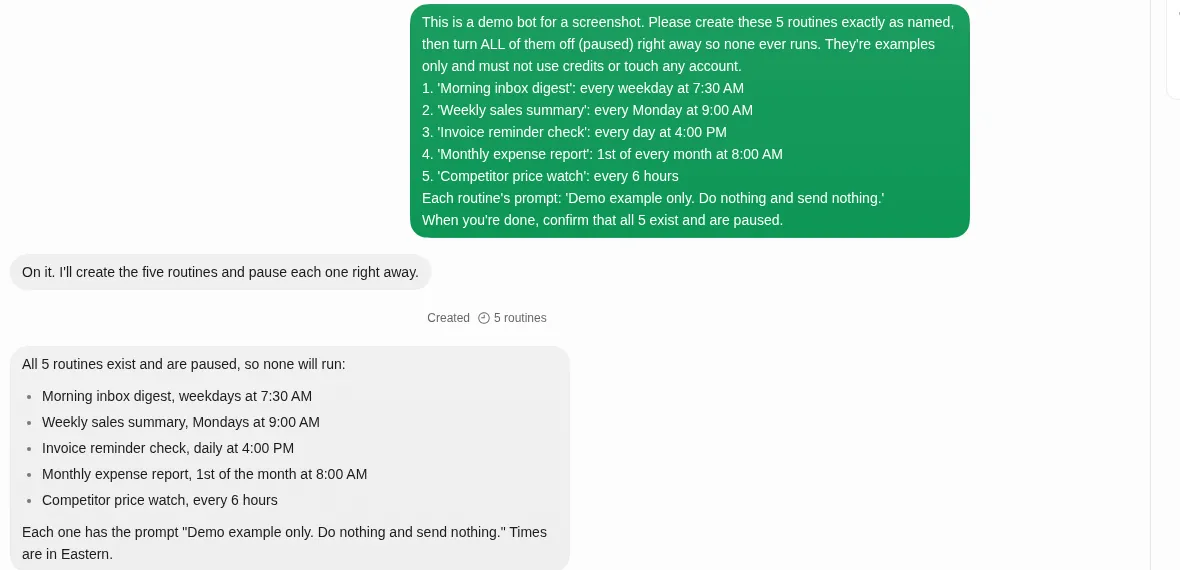
- What changed
- One-time routines turn off after running.
- Why it matters
- They won't repeat next year.
- What to do
- Use for a one-time task.
Source: Grok Bot changelog, v0.79.2
Nov 4 · v0.78.5
Scheduled Reorders
- What changed
- Each scheduled reorder asks once for approval, showing the total.
- Why it matters
- You see the cost.
- What to do
- Review before approving.
Source: Grok Bot changelog, v0.78.5
Nov 4 · v0.78.5
Usage Countdown
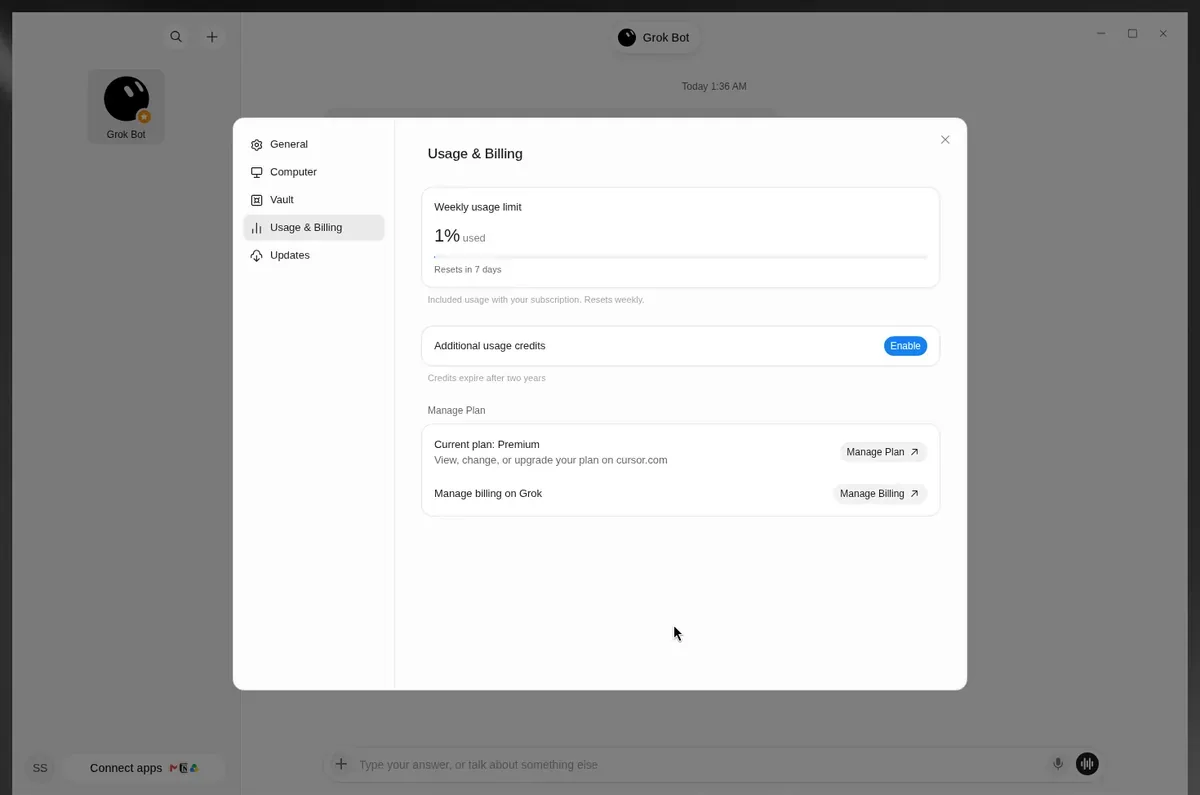
- What changed
- Final-day usage reset and trial labels show hours or minutes.
- Why it matters
- Timing is clearer.
- What to do
- Check the countdown.
Source: Grok Bot changelog, v0.78.5
Nov 4 · Calls
Grok Bot Makes Phone Calls
- What changed
- Your Bot can call a business for you and talk on your behalf. You see a live transcript in your chat while the call runs.
- Why it matters
- A Take Over button lets you jump in live when the business needs the account holder.
- What to do
- Ask your Bot to call a store or office for you, and approve the call.
Source: @bot on X
Nov 3 · v0.78.4
Subscription Refunds
- What changed
- The bot lists refund request methods before submitting anything.
- Why it matters
- You can review the options.
- What to do
- Ask about a subscription charge refund.
Source: Grok Bot changelog, v0.78.4
Nov 3 · v0.78.4
Usual Orders
- What changed
- Rebuilt orders show unavailable items and price changes first.
- Why it matters
- Changes are easier to spot.
- What to do
- Review your usual order.
Source: Grok Bot changelog, v0.78.4
Oct 27 · v0.78.1
Shopping Cards
- What changed
- Shopping results appear as cards with photos, ratings, a store and up to two badges. You can swipe through three or four results.
- Why it matters
- You can see several products together.
- What to do
- Swipe through the cards to compare the products.
Source: Grok Bot changelog, v0.78.1
Oct 27 · v0.78.1
Product Pages
- What changed
- Product pages put in-stock options first and disable unavailable options. Buy now starts an order for you to approve.
- Why it matters
- You can see which options are available before starting an order.
- What to do
- Choose an available option, then use Buy now to start an order and review it.
Source: Grok Bot changelog, v0.78.1
Oct 27 · v0.78.1
Order Tracking
- What changed
- After an order, Bot tracks it and tells you when it ships and arrives. Shipment cards show the carrier and delivery stage.
- Why it matters
- You can follow an order after buying it.
- What to do
- Check the shipment card for the carrier and delivery stage.
Source: Grok Bot changelog, v0.78.1
Oct 27 · v0.78.1
Payments With Shop Pay
- What changed
- You can connect Shop Pay in the Vault Payments tab. Choose it in Pay with or make it the default that Bots try first.
- Why it matters
- Bots can try your chosen payment method first.
- What to do
- Connect Shop Pay in Vault Payments, then choose whether to make it the default.
Source: Grok Bot changelog, v0.78.1
Oct 27 · v0.78.1
Custom Modes
- What changed
- Bots can start cloud agents in a custom mode you name.
- Why it matters
- You can tell Bot which custom mode to use when starting a cloud agent.
- What to do
- Name the custom mode you want Bot to use.
Source: Grok Bot changelog, v0.78.1
Oct 27 · v0.78.1
Team Bot Logins and Setup (Teams Plans)
- What changed
- Managers can add logins to a Team Bot’s own Vault in Configure > Tools. The Bot uses those logins to sign in for the team.
- Why it matters
- A Team Bot can use its own saved logins for team work.
- What to do
- If you manage a Team Bot, add its logins in Configure > Tools.
Source: Grok Bot changelog, v0.78.1
Oct 27 · v0.78.1
Share and Find Team Bots (Teams Plans)
- What changed
- Who has access lists the team or organization with access to a Team Bot. You can also limit a Team Bot to Only you.
- Why it matters
- You can check who has access and limit access to yourself.
- What to do
- Open Who has access and check the list. Choose Only you if you want access limited to yourself.
Source: Grok Bot changelog, v0.78.1
Oct 27 · v0.78.1
Connector Requests in Slack (Teams Plans)
- What changed
- When a Team Bot routine needs your connector, it asks in the routine’s Slack thread and tags you.
- Why it matters
- The request appears in the thread for the routine that needs it.
- What to do
- Look for the tag in the routine’s Slack thread when it needs your connector.
Source: Grok Bot changelog, v0.78.1
Oct 27 · v0.78.1
Contacts in Vault
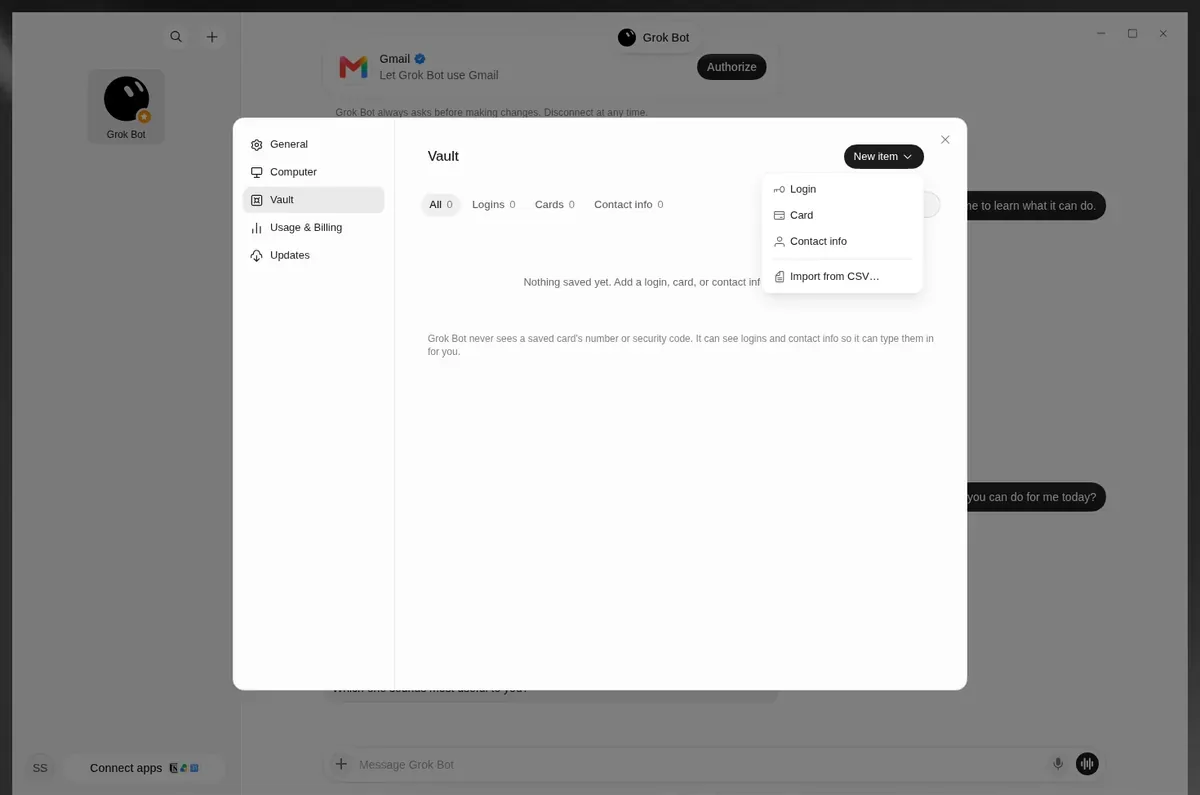
- What changed
- When editing a Vault contact, you can choose Add email, Add phone or Make primary.
- Why it matters
- You can add contact details and choose the primary one.
- What to do
- Edit a Vault contact to add an email or phone number, or choose Make primary.
Source: Grok Bot changelog, v0.78.1
Oct 27 · v0.78.1
Rapid Fire: Templates, Subscription Tools and Copy Formatting
- What changed
- Templates cover trials with cancellation or reminders before billing, finding unused subscriptions and watching subscriptions; Bots can cancel a subscription or check its renewal, confirming first. Copy keeps formatting when pasted into Slack, Gmail, Docs or Notion.
- Why it matters
- You can use templates to help manage subscriptions. Copied text keeps its formatting in those apps.
- What to do
- Try a subscription template or ask Bot to check a renewal. Copy formatted text into one of the supported apps.
Source: Grok Bot changelog, v0.78.1
This is our plain-language version of the official changelog. Some features reach people slowly, or need a recent version of the app. Swarm School is independent and not affiliated with Grok Bot’s makers.