

Ask Grok Bot in the X app for a post, then tap Post or Discard.
- Open the X app chat
- Ask for a draft
- Review the post card
- Tap Post to send
New to Grok Bot?
Get two weeks free on us.
Short answer
To draft X posts in the X app, ask Grok Bot in the chat; it writes a post card. You tap Post to send it, or Discard to drop it.
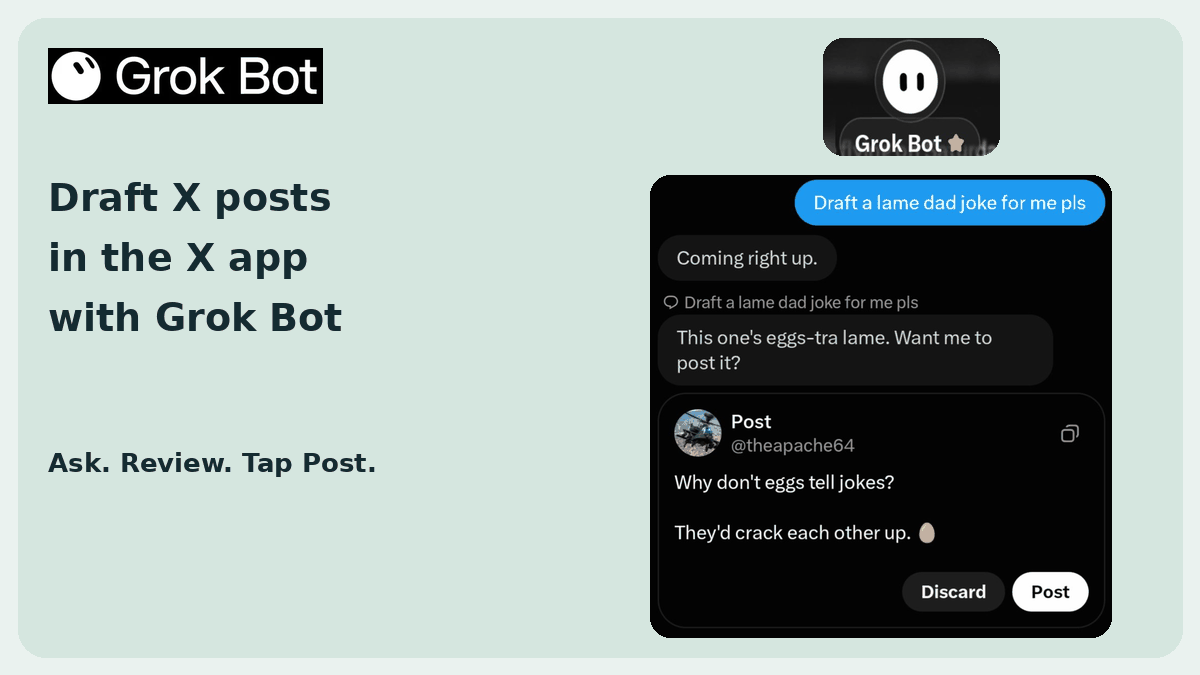
Ask for a Draft
Draft X posts in the X app with a chat request.
- Open the chat in the X app.
- Ask Grok Bot to draft a post.
- Review the post card.
- Tap Post to send it, or Discard to drop it.
What the Post Card Shows
Read the draft before choosing a button.
| On the card | What it shows or does |
|---|---|
| Your handle | The account for the post |
| Draft text | The post Grok Bot writes |
| Discard | Drops the draft |
| Post | Sends the post |
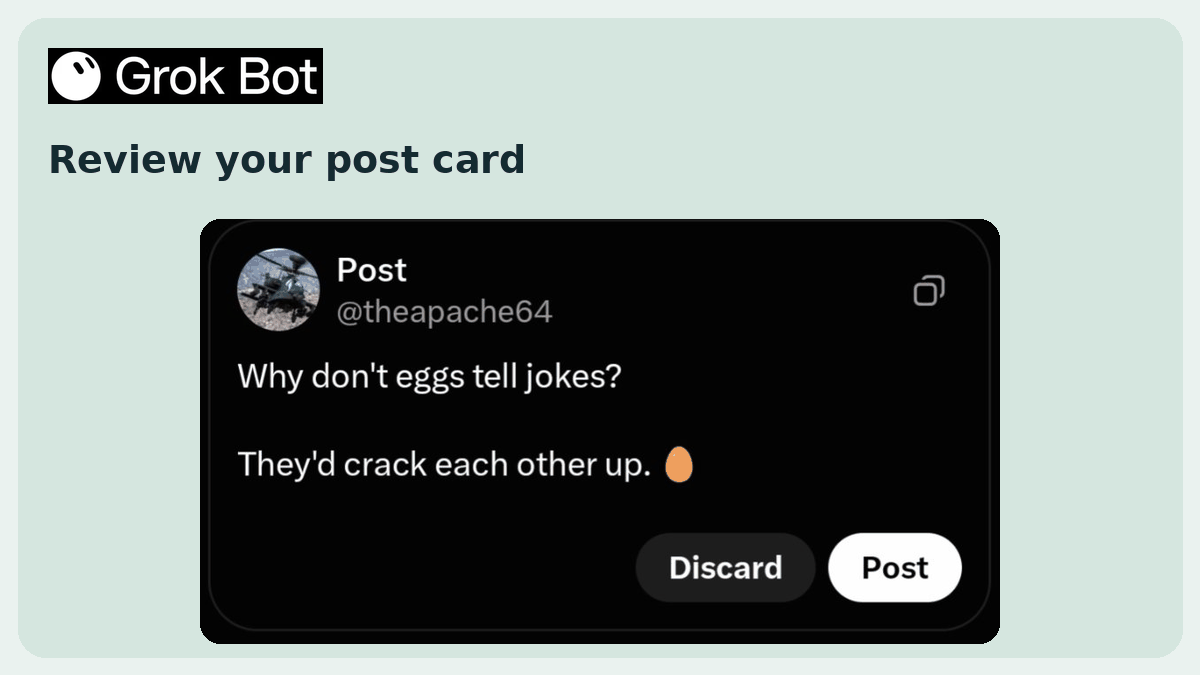
X posts and X Chat messages appear as draft cards. Send, Discard, Post and Reply require your confirmation before publication.
Hover an X @mention or x.com profile link to see a profile card with Follow, bio and follower counts.
The Same Bots You Already Use
These are the same Bots you use in the Grok Bot app. See Grok Bot’s official help site.
The X plugin in Connect apps reads DMs, bookmarks and your timeline. Drafting a post happens in the chat in the X app.
Choose Your Next Guide
Pick the help you need next.
| You want to… | Read next |
|---|---|
| Give your Bot a job | How to use Grok Bot |
| Connect your apps | Grok Bot connectors |
| Get started | First-time setup |
Get the Free Power User Guide
Continue with the free Grok Bot Power User Guide.
FAQ
Where Do I Ask for a Post?
Quick answer: In the chat in the X app. Ask Grok Bot to draft a post.
Does It Post by Itself?
Quick answer: It writes a draft. You tap Post to send it, or Discard to drop it.
What Is on the Post Card?
Quick answer: Your handle, the draft text, and Post and Discard buttons.
Is This the X Plugin in Connect Apps?
Quick answer: No. The X plugin reads DMs, bookmarks and your timeline. Drafting a post happens in the chat in the X app.
Swarm School is an independent site. We’re not affiliated with xAI or Cursor.
Sources
- https://x.com/theapache64/status/2122319472115757498
- https://docs.x.ai/grok-bot/chat-and-collaboration
- https://x.ai/changelog/bot
Swarm School is independent and not affiliated with Grok Bot’s makers. Features change; check the official docs for current details.
Related Guides

How to Use Grok Bot: a Practical Beginner's Guide
Learn how to set up Grok Bot, give a Bot a job, connect apps, set approval boundaries and build reusable skills.

Grok Bot Connectors: What You Can Connect
Every Grok Bot connector we could confirm in xAI's and Cursor's docs, what each one can do, and how to connect apps without giving your Bots too much access.
What Happens the First Time You Open Grok Bot?
Your first Bot says hello, asks what to call it, offers to connect Gmail, and suggests things it can do without connecting anything. Here's the whole first chat, step by step.
Can I Use Grok Bot on My Phone?
Yes. Grok Bot has a companion app for iPhone (iOS 18+) and Android (9+). Your Bots and chats sync with the desktop app, and work keeps running when your phone is locked.