4 bots · one practical starting point
Home Reset System
Fit one affordable habit into a crowded household week.






Plan a household week around your budget, deadlines and one habit.
Who It Helps
Households planning a busy week.
What You Need
A budget limit, three deadlines and a habit goal.
Add the Bots You Want
Add each bot you want. You can skip any of them. Get Bot opens only that bot’s add page. Come back here and mark it added yourself.
0 of 4 marked added Saved on this device.
Money Superbot
Choose your weekly spending limit.
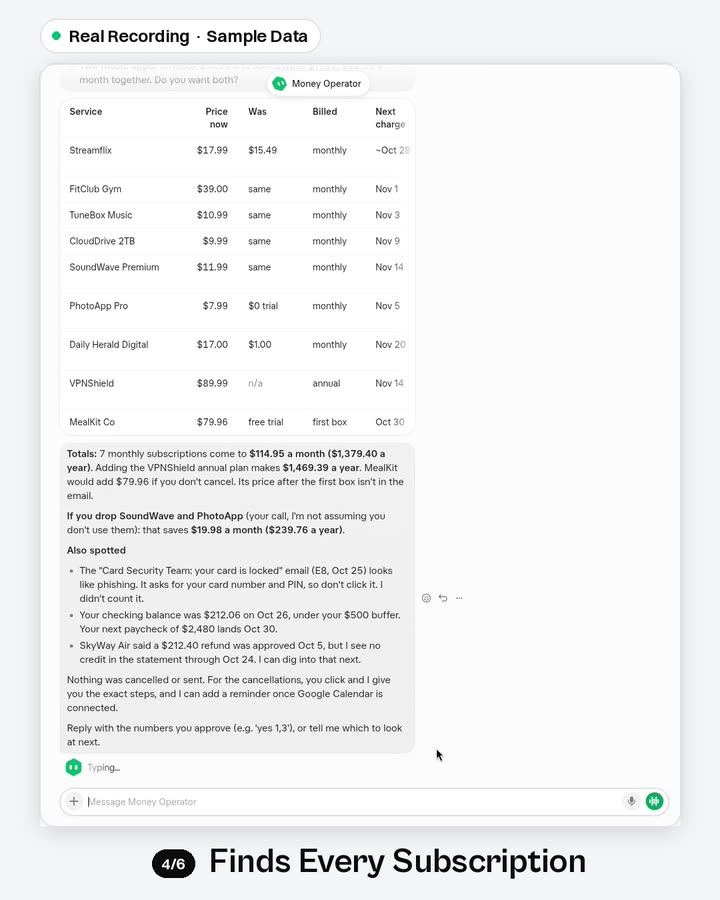
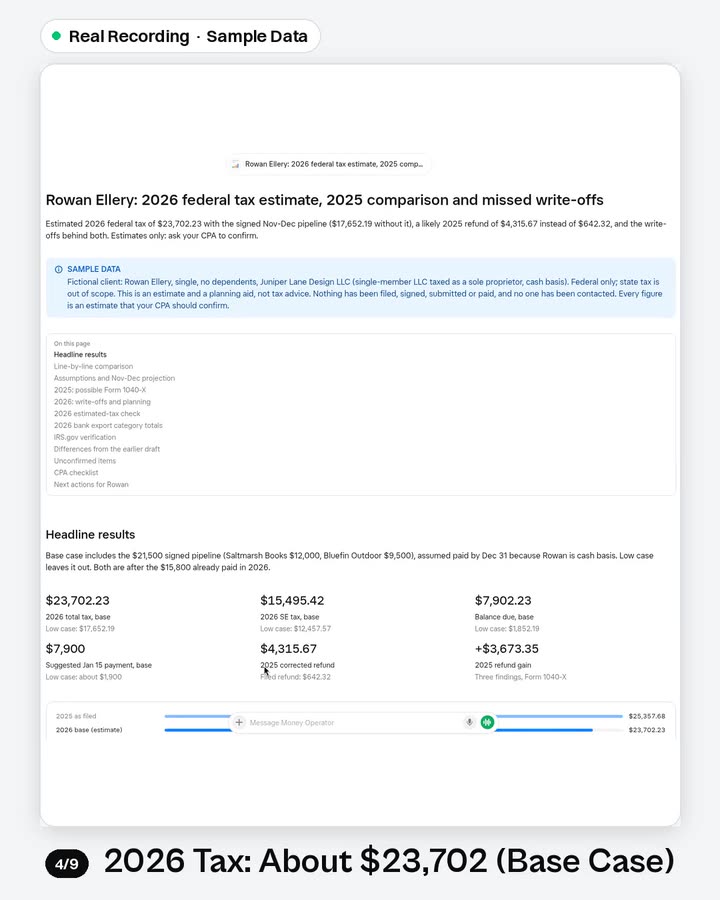
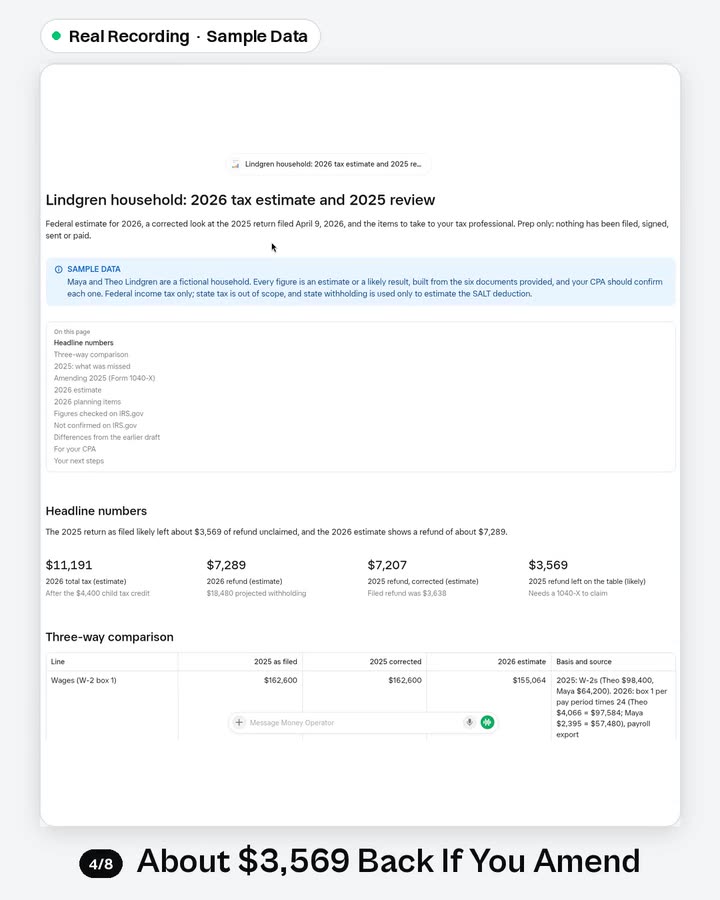
Monthly bookkeeping, tool-to-tool data moves, bills and refunds owed. Never moves money.
Connections:
GmailGoogle CalendarGoogle SheetsGoogle DriveDropboxNotionOutlook. Set up only the apps you need. Setup and first testInbox Superbot
Find deadlines in supplied messages.
Inbox-zero rules, follow-ups, replies in your voice, cleanup and invoices to a sheet.
Connections:
GmailOutlookGoogle CalendarGoogle SheetsGoogle DriveDropbox. Set up only the apps you need. Setup and first testHealth & Habits Superbot
Suggest a general routine.
Meals, workouts and habit check-ins that fit your week. Not medical advice.
Connections:
Google DriveGoogle DocsGoogle SheetsNotionDropboxGoogle Calendar. Set up only the apps you need. Setup and first testCalendar & Life Admin Superbot
Fit the routine around commitments.
Calendar conflicts, family coverage, forms, RSVPs, renewals and a morning brief.
Connections:
Google CalendarGmailOutlookGoogle SheetsNotion. Set up only the apps you need. Setup and first test
Try the First Task
Provide a budget limit, three deadlines and one habit goal. Ask for a weekly outline.
Suggested Order
Money Superbot → Inbox Superbot → Health & Habits Superbot → Calendar & Life Admin Superbot
A Small Handoff
Spending limit → deadline list → habit proposal → calendar draft.
You copy the useful result into the next bot’s chat. Adding these bots does not connect their accounts or pass work automatically.
This is general habit support. Share only the relevant summary with the next bot.
A Few Quick Answers
Do I need every bot?
No. Start with one that matches your job. Some bots appear in more than one system; skip any you already have or do not need.
Does this connect the bots?
No. Each bot is added separately. You choose what to share between them. Adding a bot does not grant access to your accounts.
Can I come back later?
Yes. Your manual checklist is saved in this browser when storage is available. It does not track actual installs.