






New to Grok Bot?
Get two weeks free on us.
Short answer
Grok Bot connectors let Grok Bot read and act on your Gmail, Drive, Notion and more.
- Ask about email and events
- Find and use your files
- You approve each sign-in
- Admins control work accounts
What Are Grok Connectors?
Connect a service at grok.com/connectors, then ask about its files, messages or events. Connectors are available to all Grok users, and Grok uses the right one automatically or asks you to connect it in chat.
| Kind | How it works |
|---|---|
| Built-in | xAI maintains the integration; sign in through OAuth (a standard account sign-in screen). |
| Catalog | Choose a pre-configured service and sign in through OAuth. |
| Custom MCP | Give Grok a public server URL and complete any required authentication; Grok discovers its tools. |
Which Services Can I Connect?
Built-in services include Gmail, Google Calendar, Google Drive, OneDrive, Outlook Mail, Outlook Calendar, Microsoft Teams, SharePoint and Salesforce. Mail and calendar services have separate sign-ins and permissions. See the connector catalog.
| Catalog example | Information it connects |
|---|---|
| Box and Notion | Files and folders; pages, databases and workspaces |
| GitHub and Linear | Repositories, issues, pull requests and code; issues, projects and roadmaps |
| Canva and Gamma | Designs and presentations; presentations and documents |
| S&P Global and Vercel | Financial and company information; projects, deployments and logs |
| Meltwater | Media and social intelligence; an active Meltwater subscription is required |
SharePoint and OneDrive require Grok Business or Enterprise.
How Do I Add a Connector?
-
On the web, open Grok connectors.
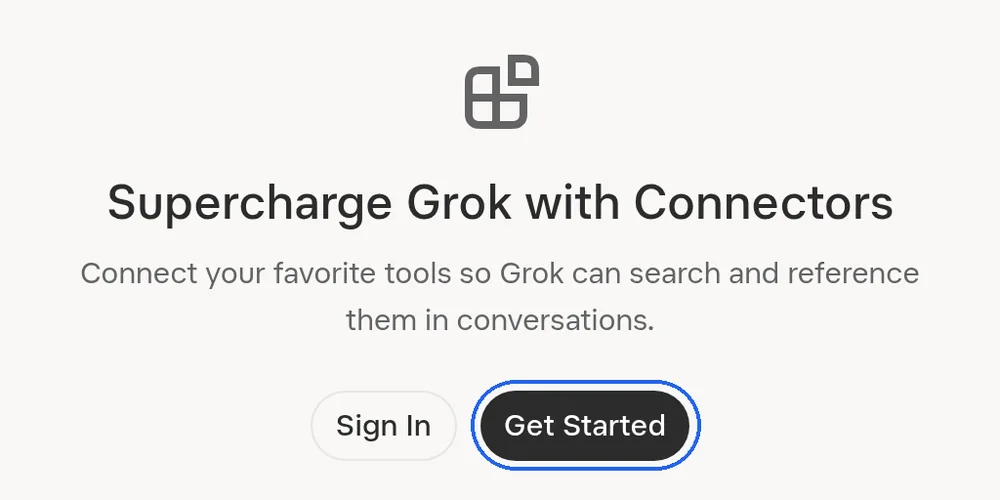
Start at grok.com/connectors. Sign in, then choose a service. -
Select New Connector and choose the service.
-
Sign in to the service and approve the requested permissions.
-
Ask Grok a question about the connected service.
For Drive, review consent and choose Allow. For Teams, use a Microsoft work or school account and choose Accept.
Other ways in:
- In a chat on the web: + → Connectors → + Add connector.
- On iOS or Android: Settings → Connectors.
- Sign-in expired: choose Reconnect. The X connector shows your handle and offers Relink.
- Automations: type @ to mention a connector. Add Trigger lists triggers only for connectors you can use.
- Money questions: connect financial accounts under Connectors, then ask with @Finance.
What Can Mail and Calendars Do?
Gmail starts with read-only access; administrators can enable additional tools progressively.
- Gmail searches accept operators such as
from:,subject:,newer_than:andhas:attachment. - Google Calendar can search by date and keyword, check free/busy availability, list accessible calendars and RSVP. With write tools enabled, it can create, update and delete events.
- Outlook permissions apply to the signed-in user’s mailbox and calendar.
More detail: Gmail permissions and Outlook
| Gmail permission | What it allows |
|---|---|
gmail.readonly | Search and read messages, including bodies, headers and attachments. |
gmail.modify | Manage drafts, labels and trash; replaces the read-only scope when write tools are enabled. |
gmail.send | Send messages, replies and forwards when send tools are enabled. |
gmail.labels | Create and delete labels when label management is enabled. |
Outlook Mail can manage drafts with To, Cc, Bcc and HTML, attach Grok-generated files, send and organize messages. Outlook Calendar can check availability across attendees and create or update events with recurrence and reminders.
How Do File Connectors Work?
Google Drive searches by content or title across Docs, Sheets, Slides and other files. It reads content, creates documents and folders, trashes files and uploads generated artifacts.
Write access is optional; the signed-in account determines access. Filter results for starred or shared files, modification date or folder.
| Service | What Grok can do |
|---|---|
| OneDrive | Browse nested folders and upload generated files; access is limited to the signed-in user’s OneDrive. |
| SharePoint | Search documents across accessible sites, read files and browse libraries. Connect it for full-text search of OneDrive for Business files. |
| Microsoft Teams | Search chats and channels, read threads and reactions, send messages, create chats and browse membership within the user’s access. |
| Salesforce | Search objects and records, create leads or cases, and update records under the user’s profile, sharing rules and field-level security. |
More detail: Salesforce setup
Salesforce supports one organization or instance per team. An admin provides OAuth credentials and installs and configures the Salesforce DX MCP Server before members connect.
How Do Admins Manage Connectors?
For Business or Enterprise, an admin provisions each connector before members connect. Adding or removing connectors requires Team Read-Write permission.
-
Sign in at console.x.ai and select the team.
-
Open Grok Business → Connectors.
-
Choose + Add Connector.

Admins add a service with + Add Connector. -
Select a service and complete its setup.
-
Have members open grok.com/connectors and connect their own accounts.
For a custom server, choose Other, enter its URL and complete any required authentication. Use Configure to adjust service-specific settings, such as allowed sites; Remove stops team members from connecting or using that connector.
Microsoft services can require administrator consent. If Teams or Outlook shows “need admin approval,” the IT administrator can grant consent for the xAI Grok application under Enterprise applications in the Azure AD admin portal.
SharePoint and OneDrive Admin Settings
Both require a Microsoft Entra tenant ID and Microsoft 365 administrator consent. Find the ID under Azure Active Directory → Overview.
An admin can approve directly, copy the consent link for IT, or consent later. SharePoint members cannot authenticate before consent.
| SharePoint setting | Effect |
|---|---|
| Delegated permissions | Access is bounded by the connecting account’s site permissions. |
| Application-level permissions | After consent, the admin selects an allow list of sites and can change it in connector settings. |
| Enable Write Access | Starts separate consent for uploading and creating files; members must also opt in individually. |
More detail: indexing and disconnection
SharePoint checks each requesting user’s access to indexed content. Disconnecting a member removes indexed data only that member could access; removing the connector removes the organization’s indexed data.
For OneDrive, disconnecting removes that account’s indexed data. Admin removal removes the organization’s indexed data.
Can I Connect a Custom Server?
A custom Model Context Protocol (MCP, a way to connect tools) server can expose your own tools, API or database to Grok.

Its URL must be reachable over the public internet. Grok rejects localhost and private addresses such as 127.0.0.1 and 192.168.x.x.
- Open New Connector → Custom.
- Enter the server URL.
- Complete any required authentication.
More detail: connecting a local server
For a local server, start a tunnel to its port and enter the public forwarding URL. For example, ngrok http 3001 exposes a server on port 3001.
Keep both running. If a temporary tunnel URL changes after restart, replace the connector with one using the new URL.
Cloudflare quick tunnels do not support Server-Sent Events (SSE, a way to stream updates); use ngrok for an MCP server using that transport. Authentication still applies when a tunnel supplies the public address.
Grok Connectors vs Grok Bot
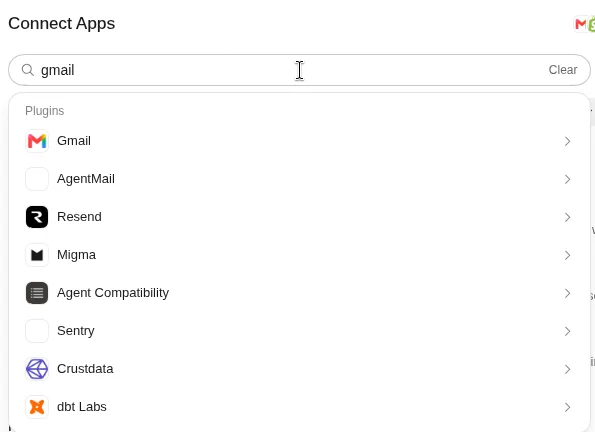
They use separate screens. Grok Bot connections belong to your Bot account and work for every Bot you run.
| Grok chat | Grok Bot |
|---|---|
| Add services at grok.com/connectors. | Open Connect apps in the Bot sidebar; on a phone, open the top-left avatar and then Connect apps. |
| Grok uses relevant connected tools in conversation. | Type @ in Bot chat to attach an app, or ask a Bot to add an app. |
| Custom MCP uses a public server URL. | A custom connector can use Remote HTTPS or Command. |
| Gmail connects your existing mailbox. | The Email app can give your Bots their own mail.grokbot.com address. |
See Grok Bot connectors, Grok pricing and Grok vs ChatGPT.
FAQ
What Are Connectors in Grok AI?
Quick answer: Connectors let Grok access external tools and data during a conversation. They can connect built-in services, catalog services or a custom MCP server.
Are Grok Connectors Free?
Quick answer: Connectors are available to all Grok users. Meltwater needs an active subscription, and OneDrive and SharePoint require Business or Enterprise.
Are Grok and Grok Bot Connectors the Same?
Quick answer: They are set up separately. Grok Bot apps belong to your Bot account and can be used by every Bot you run.
Can I Connect a Work Account?
Quick answer: Yes, after a team admin provisions the connector for your Business or Enterprise organization. You connect your own account, and some Microsoft services also require administrator consent.
How Do I Disconnect a Connector?
Quick answer: Open grok.com/connectors, find the connected service and select Disconnect. For Google and Microsoft services, you can also revoke the app’s access in the respective account permissions page.
Swarm School is an independent site. We’re not affiliated with xAI or Cursor.
Sources
- Official documentation https://docs.x.ai/grok/connectors/google-drive
- Official documentation https://docs.x.ai/grok/connectors/outlook
- Official documentation https://docs.x.ai/grok/connectors/sharepoint
- Official documentation https://docs.x.ai/grok/connectors/onedrive
- Official documentation https://docs.x.ai/grok/connectors/microsoft-teams
- Official documentation https://docs.x.ai/grok/connectors/salesforce
- xAI Grok connectors https://docs.x.ai/grok/connectors
- xAI connector management https://docs.x.ai/grok/connector-management
- xAI automations https://x.ai/news/grok-automations
- Official documentation https://docs.x.ai/grok/connectors/gmail-google-calendar
- Official documentation https://docs.x.ai/grok/connectors/custom-mcp-tunneling
- Official documentation https://docs.x.ai/grok-bot/computer-and-apps
Swarm School is independent and not affiliated with Grok Bot’s makers. Features change; check the official docs for current details.
Related Guides

Grok Bot Connectors: What You Can Connect
Every Grok Bot connector we could confirm in xAI's and Cursor's docs, what each one can do, and how to connect apps without giving your Bots too much access.
Grok Expert Mode: What It Is and When to Use It
Understand Grok Expert mode, compare Fast, Auto and Heavy, and choose the right mode for your next question.


Grok vs ChatGPT: Differences, Prices and Which to Pick (2026)
Compare Grok vs ChatGPT prices, reasoning, coding and agents, then choose the plan that fits your work and budget.

Is Grok AI Free? Plans, SuperGrok and Grok Bot
Grok is free to start; paid plans are Plus $8, Premium $30, Super $100 and Ultra $200 a month. Grok Bot needs Premium or higher (or Teams, Enterprise or a paid Cursor plan).