



Grok Bot runs on a ready cloud computer; OpenClaw runs on hardware you manage yourself.
- Install the OpenClaw Gateway
- Turn on OpenClaw sandboxing
- Choose your own model
- $30 plan or free code
New to Grok Bot?
Get two weeks free on us.
Short answer
Pick Grok Bot if you want Bots working on a ready cloud computer while your laptop is closed. Pick OpenClaw if you want to choose your hardware and models and manage the setup yourself.
Read Grok Bot pricing before choosing. Also compare Hermes Agent and the wider Grok Bot alternatives.
Quick Comparison
The main choice is a ready cloud computer versus a helper you run yourself.
| Grok Bot | OpenClaw | |
|---|---|---|
| Where work runs | One persistent cloud computer per account, shared by all Bots | Self-hosted: you run it on your own computer or server |
| Main setup | Sign in, give Bots jobs, connect apps | Install a Gateway, the process connecting chat apps to AI helpers |
| Models | No model picker; chosen model is not shown | Your chosen model provider or local model |
| Repeat work | Routines run on a schedule or event | Scheduled jobs, hooks, webhooks and Gmail triggers |
| Ways to chat | Desktop and phone apps, chat in the X app, @bot on X, Slack (Team Bots) | Chat apps including WhatsApp, Telegram, Slack, Signal and Teams, plus its own desktop apps, a web dashboard and iOS and Android apps |
| Several agents | Many Bots work at once and share one computer | Multi-agent routing with separate sessions per agent, workspace or sender |
| Starting cost | X Subscription Premium, $30/month | Open source (free code anyone can read); model costs are separate |
| Main trade-off | Paid plan and one shared computer | You manage the Gateway, model costs and sandboxing |
What Each Costs
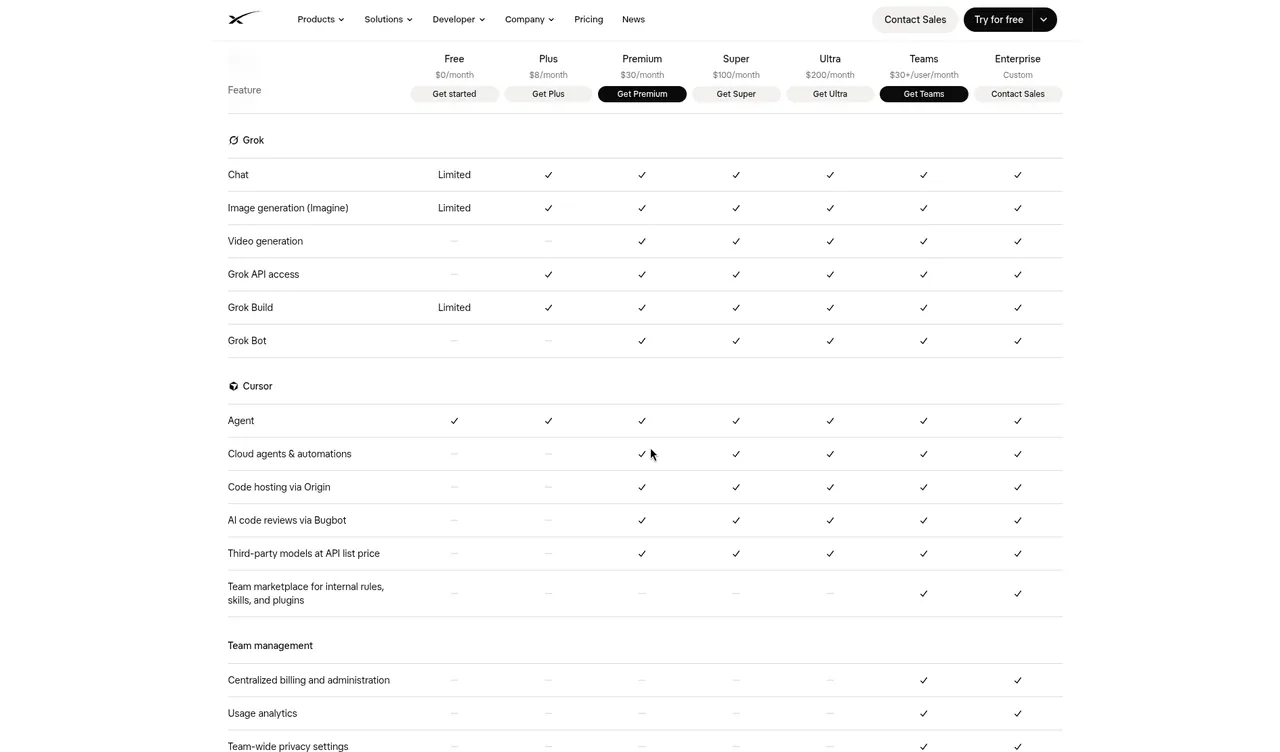
- Grok Bot: The X Subscription Premium ($30/month), Super ($100/month) or Ultra ($200/month). Free and Plus don’t include it; legacy paid Cursor plans also include it. A weekly usage pool is shared with Grok and Cursor; prepaid credit covers extra usage. Some accounts get trial credit with a 7-day window.
- OpenClaw: MIT-licensed code with no paid tier, subscription or hosted tier. You need an API key from the AI model company you choose and pay that company, or you run a local model.
Getting Started
Grok Bot
- Get a plan that includes Grok Bot (Premium and up), then download the Grok Bot app and sign in.
- Give a Bot one clear job; connect the apps it needs.
- Set Ask first rules and review its work before adding a routine.
OpenClaw
- Use the installer for your computer; it installs Node, the software OpenClaw needs, if needed.
- Run
openclaw onboard. It connects your AI model, can keep the Gateway running in the background and opens the web dashboard. - Connect a chat app such as Telegram, turn on sandboxing and run
openclaw security audit.
Safety Out of the Box
A sandbox limits where tools can act. Here is what each does from the start.
| Grok Bot | OpenClaw | |
|---|---|---|
| Controls | Approval cards, Auto-review and your own Ask first rules | Tools run on the host computer unless you enable sandboxing |
| Shared access | Bots share files, browser sessions and logins; separate Bots are not a security boundary | One Gateway assumes one trusted operator or a team that trusts each other |
| Setup check | Review your Auto-review rules | Run openclaw security audit |
Who Should Pick Which
Pick Grok Bot if you want:
| Reference |
|---|
| A ready cloud computer that keeps working when your laptop closes. |
| Bots that hand off work and bring it back for approval. |
| To accept a paid plan, automatic model choice and one shared computer. |
Pick OpenClaw if you want:
| Reference |
|---|
| Your own machines, model choice and open source code. |
| Chat app connections through one Gateway. |
| To manage setup, model costs and sandbox settings yourself. |
Can You Use Both?
Yes. Import Bot brings an OpenClaw setup into Grok Bot and creates expert bots for you. Account for Grok Bot’s plan and any OpenClaw model costs separately. Review which system runs each scheduled job before enabling repeat work.
What We Don’t Claim
We make no claims about speed, quality or “which model is smarter”. If you see a benchmark elsewhere, check who ran it and when.
Related Bots From the Library
| Item | Details |
|---|---|
| Import Bot | Brings your setup from Claude Cowork, Codex, ChatGPT, OpenClaw, and Hermes into Grok Bot, then creates the expert bots for you. |
| Hermes Bridge | Bridge to your Hermes Agent so you can talk, collaborate, and delegate, including coaching Hermes install and API setup. |
| Terminal Boss | Runs terminal coding agents from one Bot. |
| Chief of Staff | The Bot that guides the others. |
FAQ
Is OpenClaw Free to Use?
Quick answer: Its MIT-licensed code is free, with no subscription or hosted tier. You pay your chosen model provider, or use a local model.
Does OpenClaw Need My Computer Running?
Quick answer: OpenClaw runs wherever you install its Gateway: your computer or a server. It runs on that machine, so keep it on, or use a server, for work around the clock. Grok Bot runs on its own cloud computer, so it keeps going when your laptop is closed.
Can I Choose a Model in Both?
Quick answer: OpenClaw lets you choose a provider or local model. Grok Bot picks a model for each task and does not show which one ran.
Is OpenClaw Sandboxed by Default?
Quick answer: No. Tools run on the host unless you enable sandboxing. OpenClaw includes openclaw security audit to check your setup.
Swarm School is an independent site. We’re not affiliated with xAI, Cursor or the OpenClaw Foundation.
Sources
- https://docs.x.ai/grok-bot/overview
- https://docs.x.ai/grok-bot/faq
- https://docs.x.ai/grok-bot/skills-routines-and-automations
- https://x.ai/pricing
- https://openclaw.ai/
- https://docs.openclaw.ai/
- https://docs.openclaw.ai/gateway/sandboxing
- https://docs.openclaw.ai/gateway/security
- https://github.com/openclaw/openclaw
Features change; check the official docs for current details. All comparisons →
Related Guides

Grok Bot Alternatives: 4 AI Agents Compared
Grok Bot alternatives compared: OpenClaw, Hermes Agent, Claude Cowork and ChatGPT. See where each runs, what it costs and who should pick it.
Grok Bot vs Hermes Agent: Which Fits?
Grok Bot vs Hermes Agent: a ready cloud computer on a paid plan, or a free open-source agent you run yourself. Compare costs, Bots, skills and safety.
Grok Bot vs Claude: an Honest Comparison
Grok Bot vs Claude, including Claude Code: how each works, pricing, limits and which to pick, from both companies' docs.
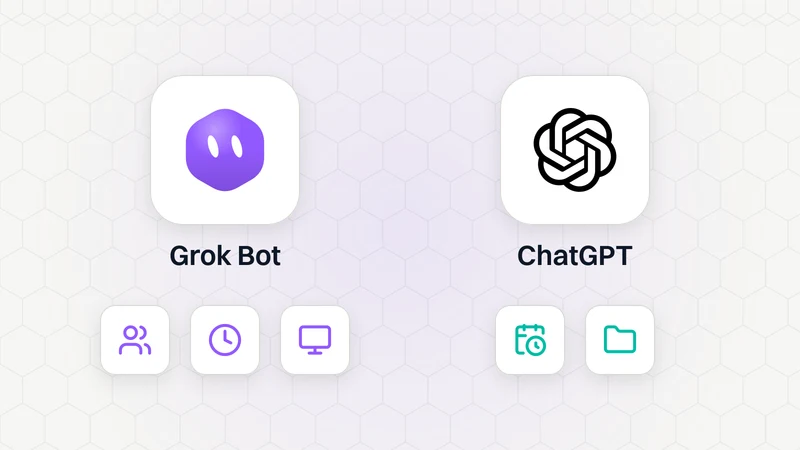
Grok Bot vs ChatGPT Agents: Which Is Better for Automating Tasks?
Grok Bot vs ChatGPT agents for automating tasks, compared from xAI's and OpenAI's official docs: ChatGPT Work, scheduled tasks, Dot, prices and which to pick.