Short answer
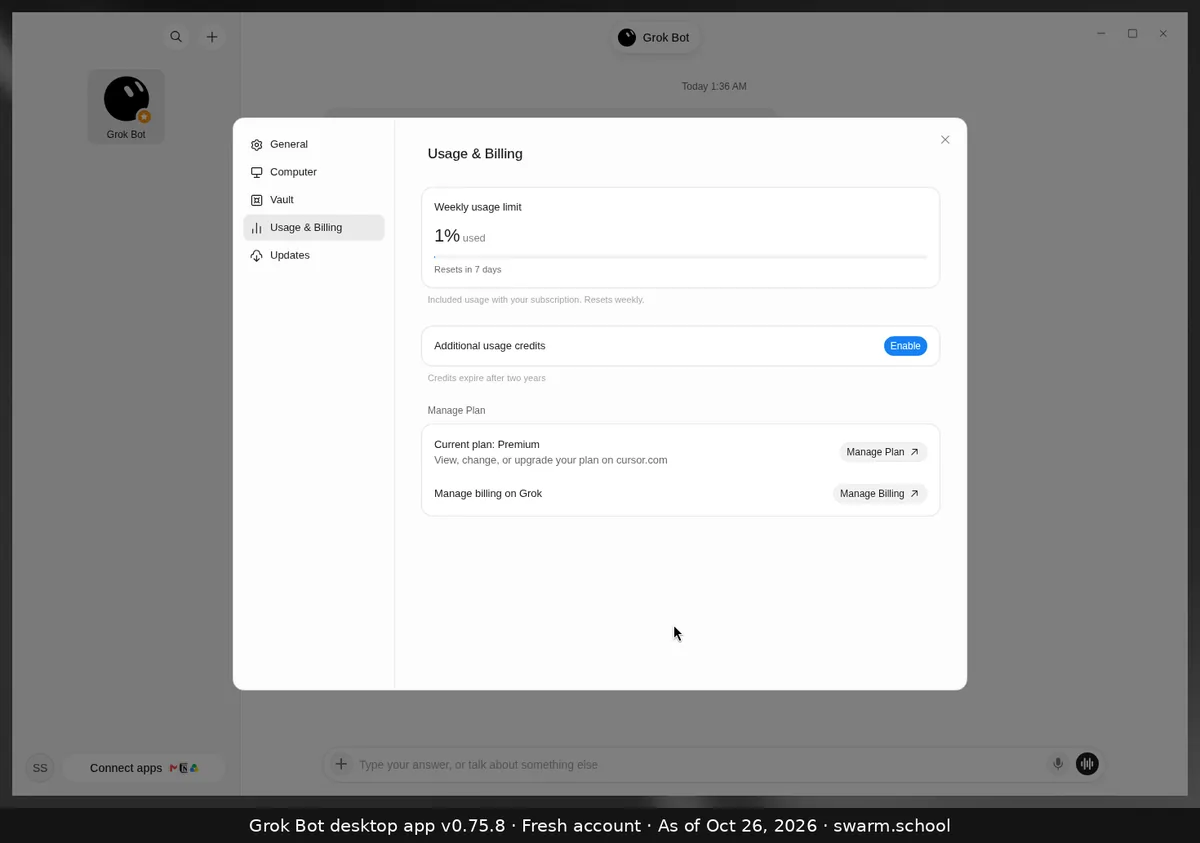
Your Bots pause until your weekly usage resets. If you’ve turned on additional usage credits (The X Subscription) or on-demand usage (legacy Cursor plans), work carries on and is paid from that instead. Routines and tagged @bot requests stop too while you’re out of usage.
As of Oct 26, 2026 (Grok Bot desktop app v0.75.8).
Your three options
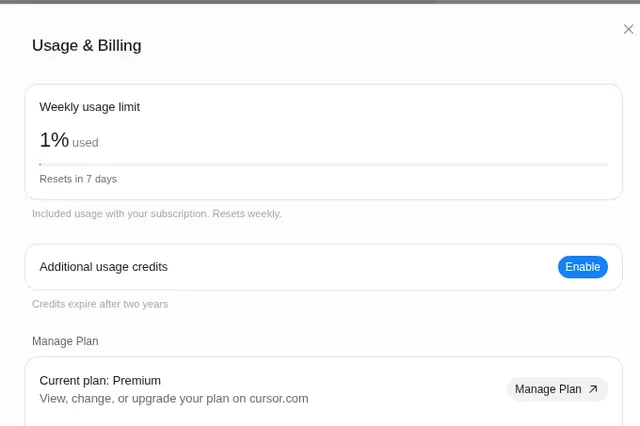
- Wait for the reset. The countdown is under the bar in Settings → Usage & Billing. See when the limit resets.
- Turn on additional usage credits. This is paid, prepaid credit. Read what additional usage credits are first, and set a monthly cap.
- Move to a bigger plan. Higher tiers have larger weekly pools. See Grok Bot pricing.
Make next week last longer
Keep memory small, give Bots tight briefs and narrow event triggers, and test big jobs on a small sample first. Our usage and tokens guide explains why those help.
Sources
- https://docs.x.ai/x-subscription/usage-limits
- https://docs.x.ai/x-subscription/extra-usage
- https://cursor.com/help/grok-bot/plans
- https://docs.x.ai/grok-bot/troubleshooting
Swarm School is independent and not affiliated with Grok Bot’s makers. Features change; check the official docs for current details.
Related guides
- When does the Grok Bot usage limit reset?Grok Bot's included usage resets weekly. Settings → Usage & Billing shows a countdown…
- What are "Additional usage credits" in Grok Bot?Additional usage credits are prepaid, paid credit that keeps Grok Bot working after…
- Where do I see my usage in Grok Bot?Your Grok Bot usage is in Settings → Usage & Billing as a weekly % bar with a reset…
- Grok Bot error messages explained (and fixes)What Grok Bot error messages mean and how to fix them, from usage limits and…