Short answer
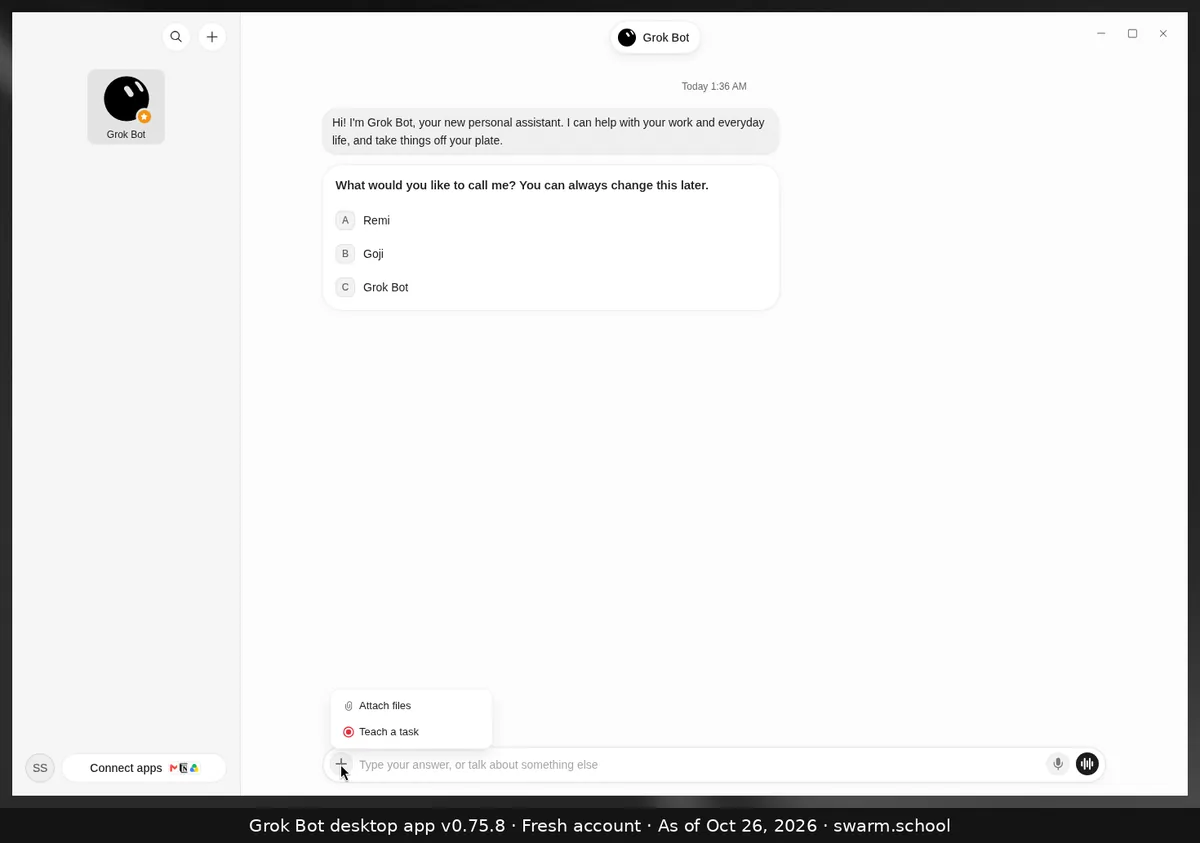
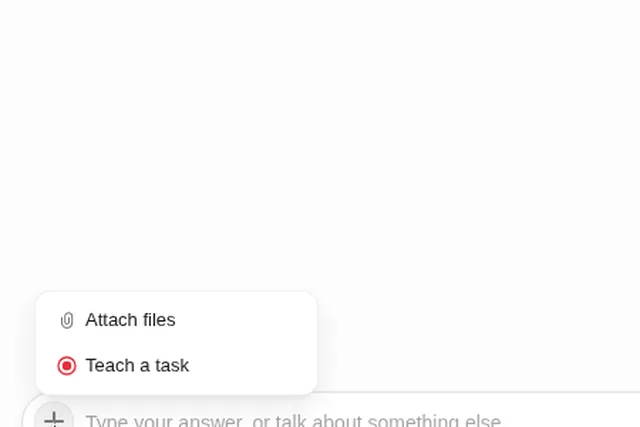
Teach a task lets you show a Bot how you do something in a browser. You record the workflow once, and the Bot turns it into a draft skill that you review and test. It’s in the + menu at the left of the message box, under Attach files.
As of Oct 26, 2026 (Grok Bot desktop app v0.75.8).
Steps
- Click + in the composer and choose Teach a task.
- Do the workflow once, start to finish. xAI’s docs say a recording can be up to ten minutes.
- Read the draft skill the Bot writes. Add the rules it can’t see, like “ask me before you submit”. Then test it on a safe example.
Tips
- Keep secrets off screen. Sign in before you record, or take over the computer for the login.
- It’s good for websites with no connector, like a booking system or supplier portal. The Bot follows your steps in its own browser.
- xAI says the rollout may be gradual, so you might not see it yet.
Sources
Swarm School is independent and not affiliated with Grok Bot’s makers. Features change; check the official docs for current details.
Related guides
- Grok Bot skillsA Grok Bot skill is saved instructions for one task. Learn the six parts of a good…
- Grok Bot's computerHow Grok Bot's cloud computer works: one shared computer for all your Bots, getting…
- How do I create a new Bot in Grok Bot?Press Ctrl+N (or use + at the top of the sidebar), name the Bot, pick a shape and…
- How to set up Grok Bot routines that don't go wrongA plain-English guide to Grok Bot routines: schedule vs. event, the seven-part routine…