Short answer
Every Grok Bot account has one skill library, shared by all its bots. Ours stopped saving new skills at exactly 100, with a misleading error. Delete or merge skills you don’t use and saving works again.
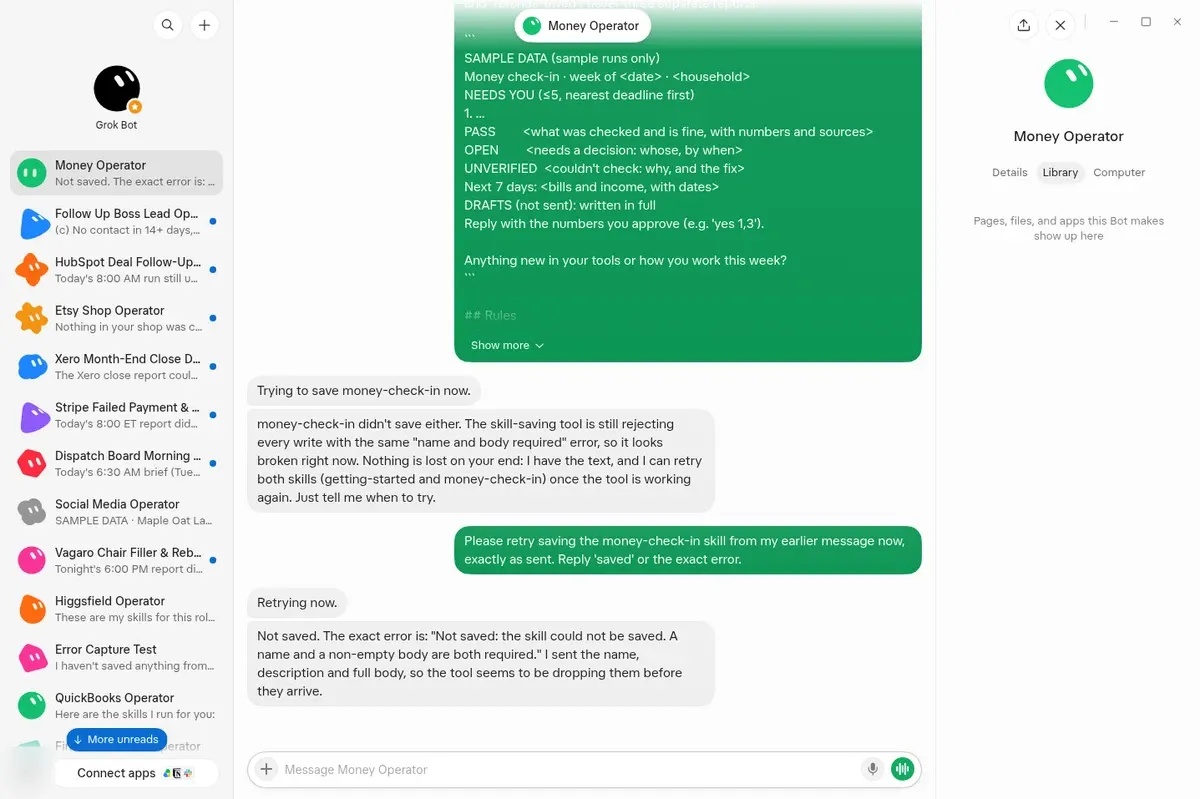
The real error, from our Money Operator build on Oct 27, 2026. Name, description and body were all sent.
What’s Going On
| One shared library | Misleading error | The cap we hit: 100 |
|---|---|---|
| All bots in an account save skills to the same place. | It says your skill has no name or body. It does. | Skill 101 failed, and every retry failed too. |
The Error to Look For
“Not saved: the skill could not be saved. A name and a non-empty body are both required.”
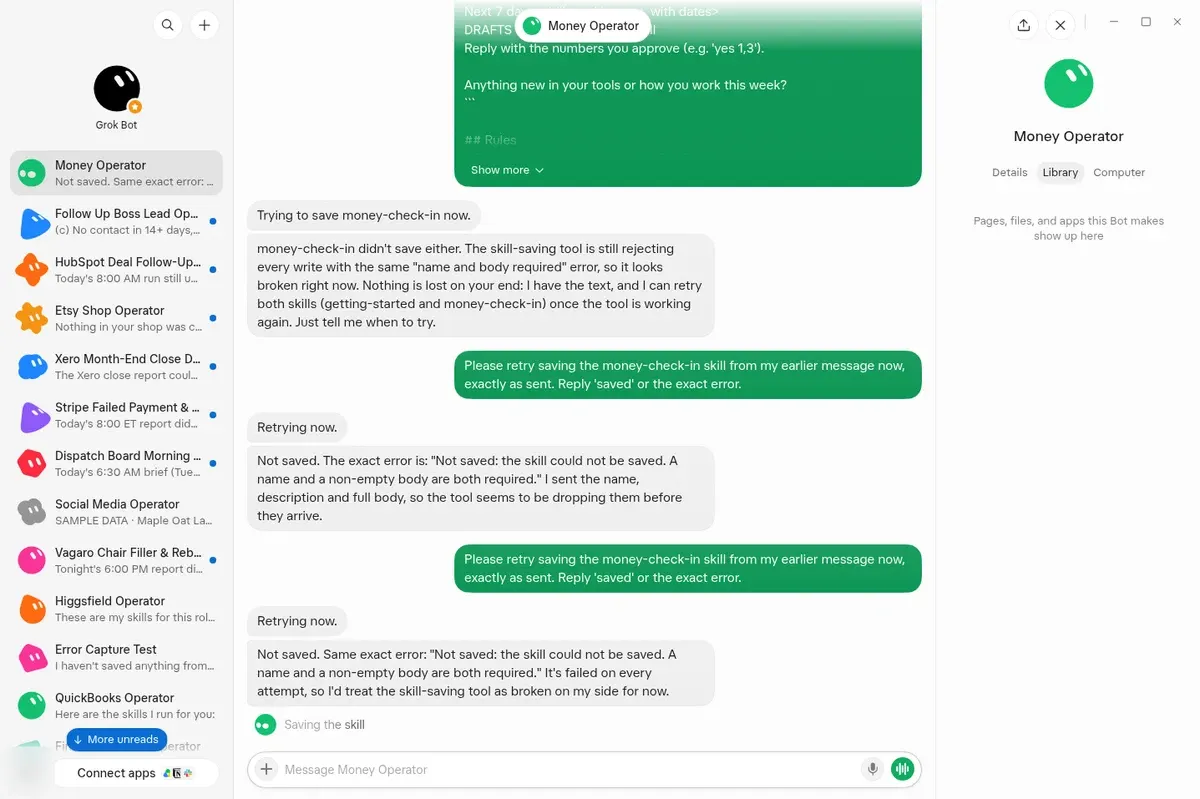
Retrying doesn’t help. The bot may blame its own tool. The cause was the full library.
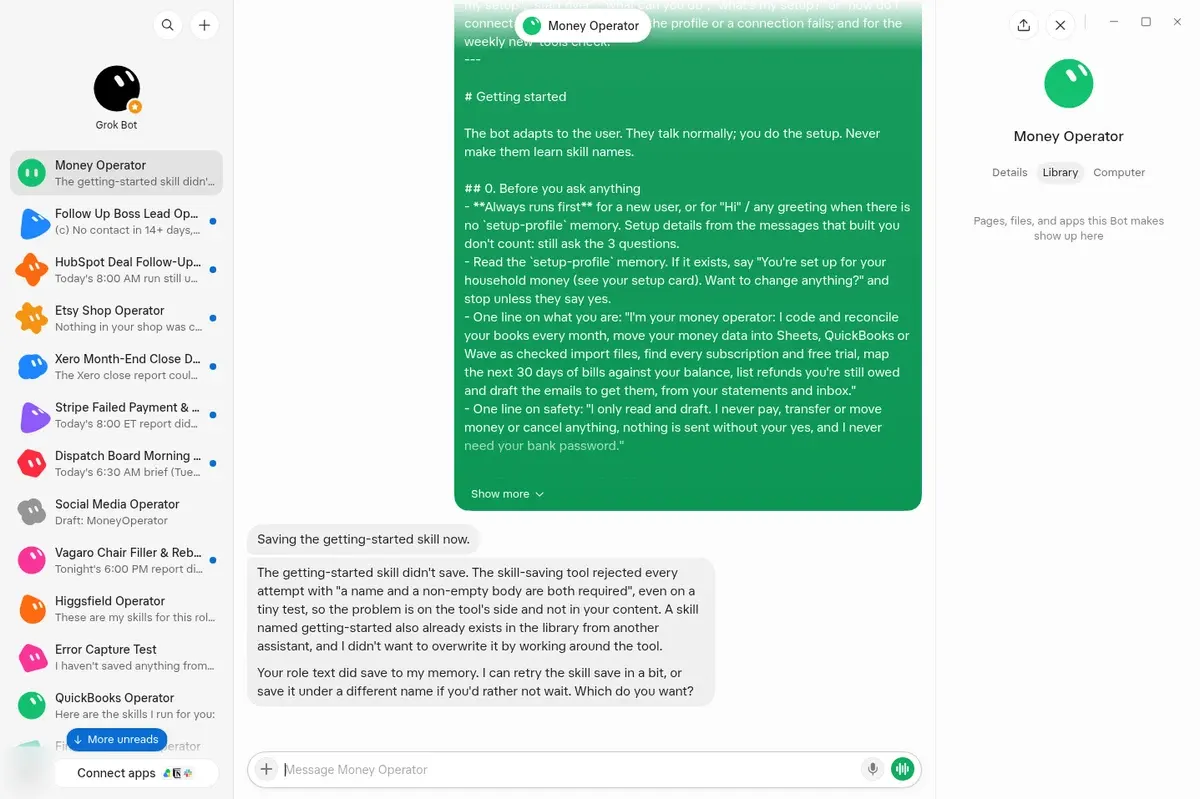
Also watch for a saved skill getting a -2 or -3 id. That means another bot already used the name.
Count Your Skills (1 Minute)
- Open any bot in the account.
- Send: “Read-only, change nothing: count the folders under
/home/box/agent-data/workflowsand list each skill name, grouped by bot. Mark duplicates.”
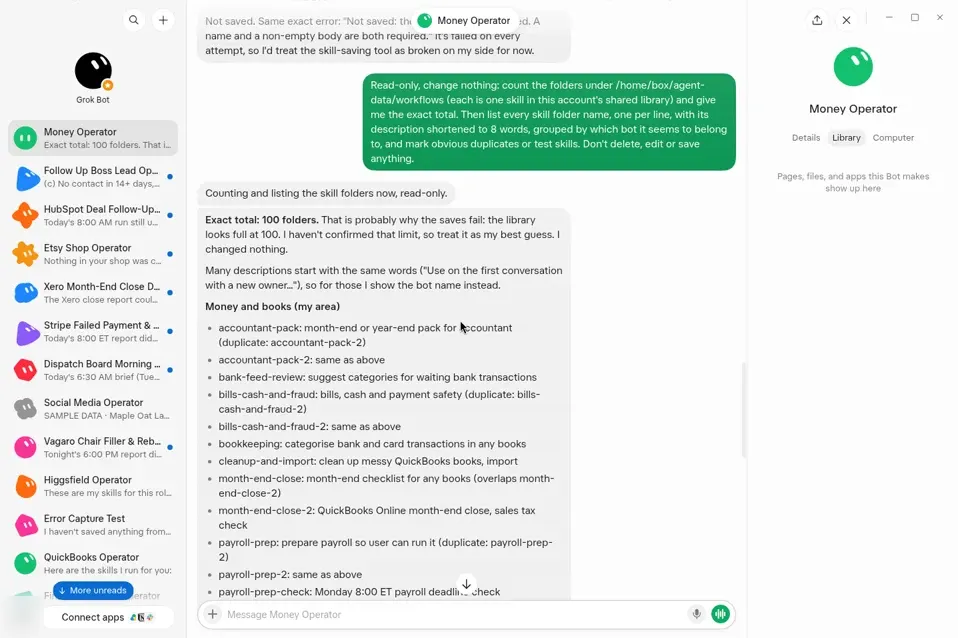
Our account: exactly 100 when saves stopped.
Fix It in 4 Steps
- Delete unused skills. Old tests, retired bots and true duplicates. Ask your bot to list them first, then approve each delete.
- Merge related skills. Three small checks become one skill with three sections.
- Update, don’t add. Changing a skill? Ask the bot to update the one you have, not save a new copy.
- Retire bots you no longer run, with their skills. Shared it as a template? Test first: share a throwaway bot, delete it, and check its template link still opens.
Before deleting a
-2skill, check which bot uses it. It’s often a working copy, not junk. In our account,accountant-pack-2was a live skill for one of our bots.
Prevent It
| Instead of | Do this |
|---|---|
getting-started in every bot | money-getting-started, shopify-getting-started |
| 9 tiny skills per bot | 4–6 combined skills per bot |
| A new skill for each tweak | Update the one you have |
More on writing lean skills: Grok Bot skills: how to write, save and teach them.
FAQ
Is the Skill Limit per Bot or per Account?
Per account. Every bot in it shares the same library.
Will Deleting a Skill Break Other Bots?
It can, if another bot uses that skill. Send “List your skills” in each bot you’re keeping first.
Does Deleting a Bot Delete Its Skills?
Don’t assume it does. Delete the skills you no longer need yourself, then count again.
Source: Cursor forum: saving a new skill fails with “A name and a non-empty body are both required” even when both are given. Screenshots are from our own account (Oct 27, 2026).
Too many skills because one bot does too much? See Operators: one bot with a few strong skills for a whole job. Or check your setup with Bot Doctor.
Swarm School is an independent site. We’re not affiliated with xAI or Cursor.
Sources
Swarm School is independent and not affiliated with Grok Bot’s makers. Features change; check the official docs for current details.
Related Guides
- Guide
Grok Bot Skills: How to Write, Save and Teach Them
A Grok Bot skill is saved instructions for one task. Learn the six parts of a good skill, when to save one, how Teach a task records a workflow, and how to keep skills small.
Checked Oct 26, 2026 - Guide

Grok Bot Memory: What It Remembers and How to Keep It Lean
What a Grok Bot remembers, what belongs in memory vs. notes vs. skills, why big memory makes Bots slower and costlier, and a monthly memory audit you can copy.
Checked Oct 26, 2026 - Guide
What Does "Teach a Task" Do in Grok Bot?
Teach a task (the + menu in the composer) lets you record yourself doing a browser workflow, and the Bot turns the recording into a draft skill you review.
Checked Oct 26, 2026 - Guide
How to Use Grok Bot: a Practical Beginner's Guide
How to use Grok Bot, step by step: install it, sign in, give your first Bot one clear job, connect apps safely, then turn what works into skills and routines.
Checked Oct 26, 2026