Short answer
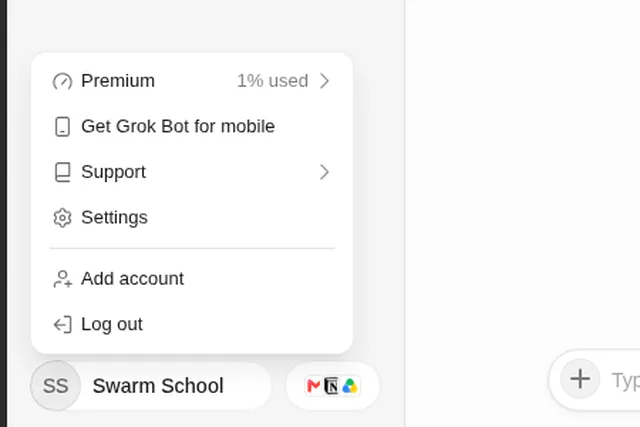
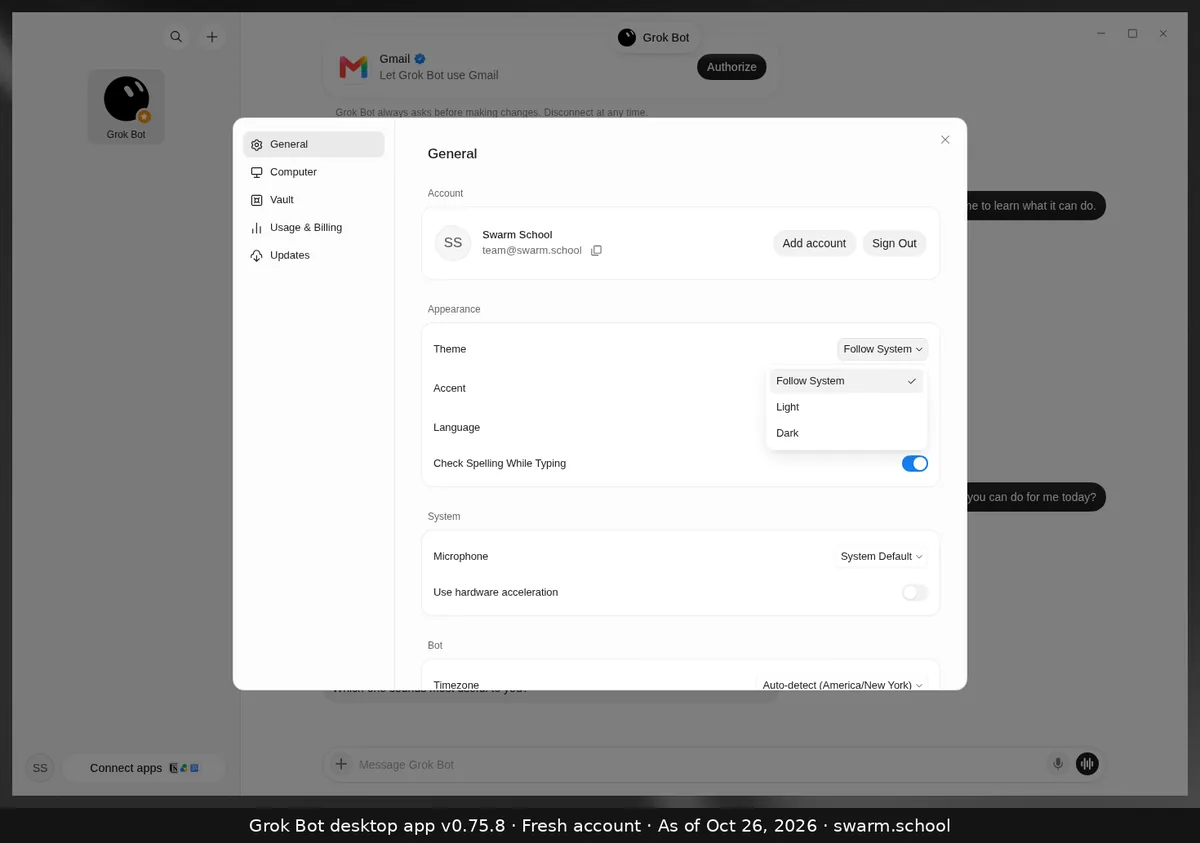
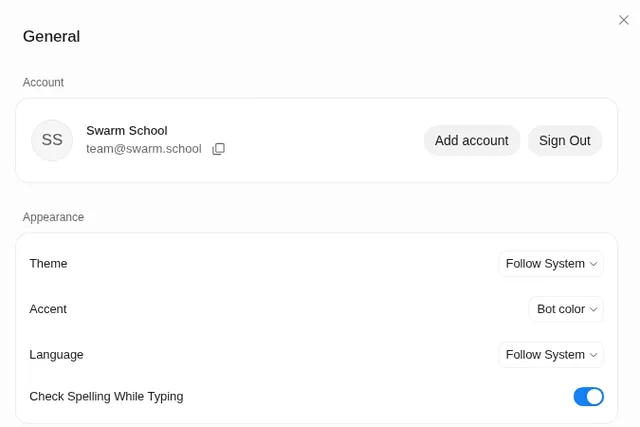
Open Settings → General. Under Appearance, set Theme to Dark, and pick your language from the Language list. Both start on Follow System, so the app matches your computer until you change them.
As of Oct 26, 2026 (Grok Bot desktop app v0.75.8).
Steps
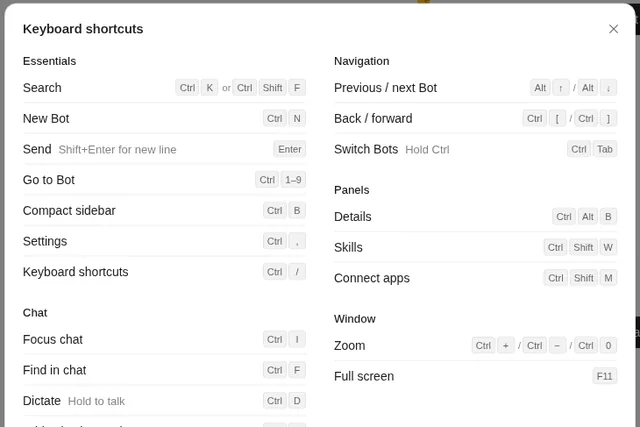
- Open Settings: press Ctrl+, (Cmd+, on Mac). You land on General.
- Theme: choose Dark, Light or Follow System. Quicker: press Ctrl+K and type “Theme: Dark”.
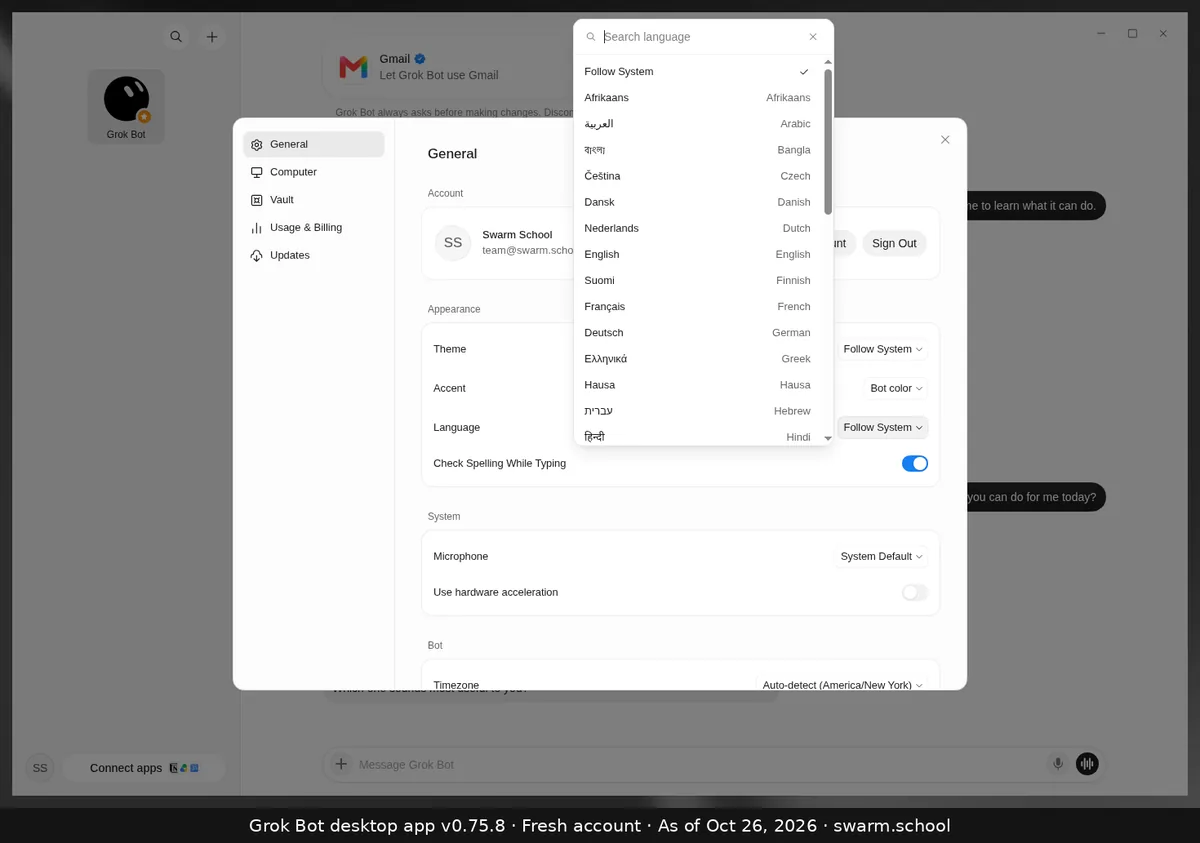
- Language: open the list, type to search (for example “English”), and click it.
Accent colour
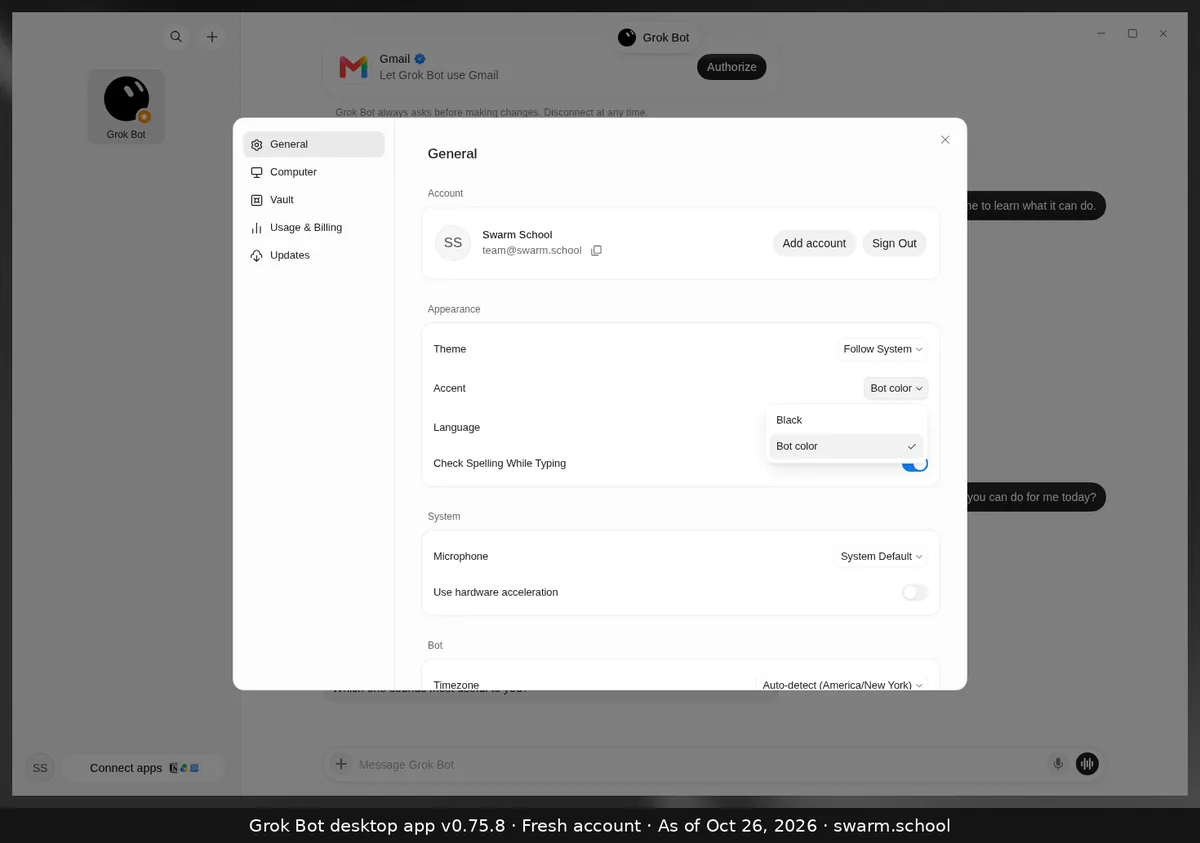
Accent has two options: Black, or Bot color, which uses each Bot’s own colour.
Good to know
- xAI’s docs say desktop has more than 20 languages. Phones have a shorter list, and the follow-device option there is called System.
- Language changes the app’s menus. To change the language the Bot speaks in a call, use the voice settings. See changing the voice.
Sources
Swarm School is independent and not affiliated with Grok Bot’s makers. Features change; check the official docs for current details.
Related guides
- Where are Grok Bot's settings?Press Ctrl+, (Cmd+, on Mac) or open the account menu at the bottom left and choose…
- What are Grok Bot's keyboard shortcuts?Every Grok Bot desktop shortcut on one page: Ctrl+K search, Ctrl+N new Bot, Ctrl+D…
- How do I change Grok Bot's voice?Start a voice chat, then choose Show settings during the call to change the Bot's…

- Can I use Grok Bot on my phone?Yes. Grok Bot has a companion app for iPhone (iOS 18+) and Android (9+). Your Bots and…